I encountered a similar issue with the Librem 13v4 US keyboard using PureOS amber.
I posted my issue in Matrix and have reposted what I typed there. Maybe my workaround will work for you with some tweaks.
I’m not sure if anything broke recently but after installing some updates recently, I can’t use the key underneath the “Backspace” key to type a backslash or pipe on the US layout. My workaround is to add another input source and rearrange them so that my desired input source is second, which then allows the backslash/pipe key to work as intended.I can’t tell if this is a recent bug or something I did to cause this.
Without the workaround, the backslash key types
<for some reason.
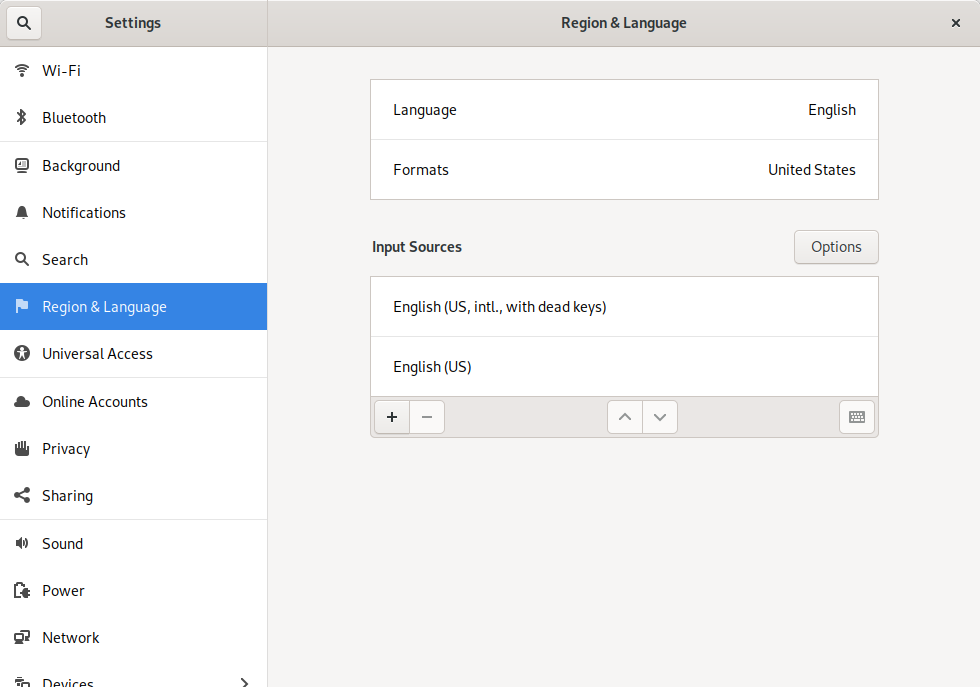
This is for all programs from what I’ve seen: Firefox, Tilix (Terminal), Fractal - anything I can type text into.
I dug into this issue some more and there are old forum posts that describe this exact issue I recently encountered. I used to be able to use the backslash and pipe a few days ago until I did some OS updates and updated PureBoot to release 15.
- Librem 13 backslash key generates "less than" symbol
- Above thread links to this with workaround fix: Keyboard layout unable to recognize pipe
I haven’t tried the workaround fixes described in the threads yet.
I’m using the Librem 13v4 US keyboard layout with the English (US) input source if that helps.
The updates I did could be red herrings but I’m not sure.
When I press the backslash key with the English US input source, it registers as the key to the right of the left Shift key.
