I today updated one of my L5 starting with the PureOS updater app.
After solving the trivial problems, like charge to 90% and update existing software etc., the update went on, asking or did two times a reboot and when I could login again, the PureOS updater app asking me to run it again, but complained about the repository URLs pointing to crimson already.
So I run over a SSH session sudo apt update ; sudo apt full-upgrade which fetched ~1800 pkg and installed them fine at the end.
A first reboot after this (with a lot of fear) makes it come up again and it now shows
purism@old-pureos:~$ uname -a
Linux pureos 6.12.0-1-librem5 #2 SMP PREEMPT 6.12.89pureos1~cri1 2026-05-16 17:47:56 UTC aarch64 GNU/Linux
The apps are working, so far tested, even if I don’t see much difference until now. FF is at version 140.11.0esr, though.
I ran out of space on /boot doing the update to Crimson and couldn’t free up enough with apt autoremove, so I just rm’d the oldest versions (figured I didn’t need 3 of them!) from /boot and all went fine from there out.
For the camera app, is there a manual for the GUI explaining a bit for the non-experts the usage of Gain/Exposue/Balance/Focus to get the best results in any situaution.
Now the camera featuring fast automatic parameters which do not need to change anything… you just need to check the zoom quality of the object you want it; if its not right, simply tap the object to re-zoom.
Ya, that might be actually more important that the check done for firmware updater tools that haven’t been uninstalled yet . . . In fact, you could probably just replace “might be” with “is”.
I’m sitting at the table and the cam sees objects on the table nearby or at the wall, 5 meters away. When I tap an obejct on the table or wall nothing changes. Only the number below “Focus” is running but ends up always in nearly the same number 220-240
The @Dlonk method detailed in Reflash using SD card - #4 by Dlonk with the primary difference being the use of an internal SD card and the possibly desired simpliciity of the actual install being a dd of the disk image onto the L5 EMMC. The card must have enough capacity to hold both a bootable pureos and the image to be flasfhed to the L5.
@elkingrey please note that the L5 can boot from the SD card. I don’t know why it’s not possible to boot from the USB.
By default, the USB-C port acts as a device and power sink while in u-boot. The mechanism to switch between modes dynamically is only implemented in the kernel, u-boot doesn’t know how to do that. You could load a patched u-boot that puts the controller into host mode and makes sure the port is powered and it should work.
Also, you could load the kernel, dtb and initramfs from eMMC or SD card, but make it use a rootfs from a USB drive - this may work without having to patch anything.
However, as we all know, if we encourage more adventurous upgrade options, that will potentially increase the load on Purism Support - and some of that may even come back to you.
So if at all possible, we want people using the provided in-place upgrade tool or following the standard, documented reflash procedure (using a host computer).
For those who are inclined to learn - and learning is good(!), I am happy for them to get adventurous - but in that case fall back on a host computer reflash if the adventure goes south (which means of course image the eMMC drive before you start).
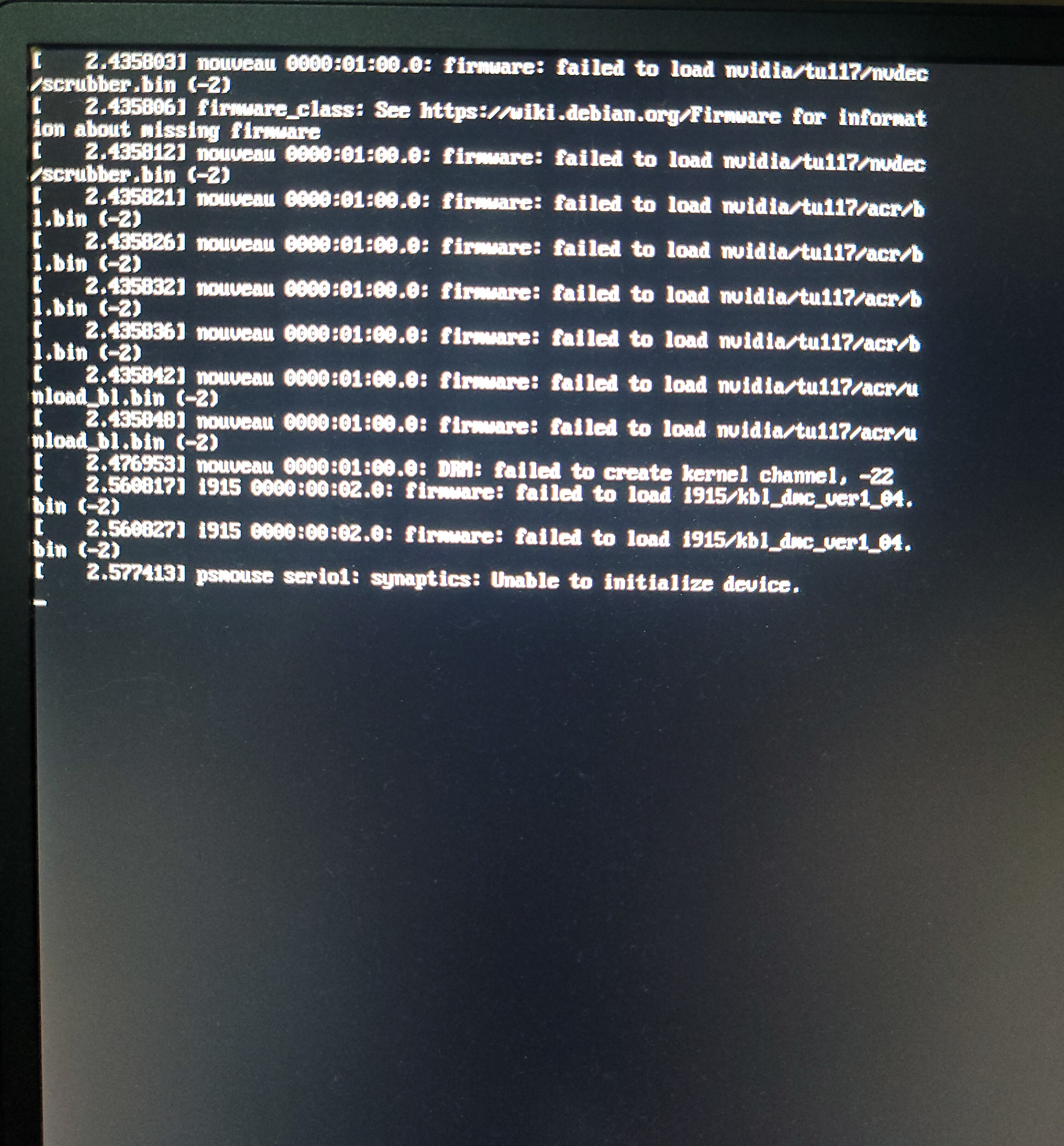
PureOS 11 fails to boot from USB on Dell Precision 5540.
Hello,
I am experiencing an issue while trying to install PureOS 11 on a Dell Precision 5540 laptop.
I downloaded the latest PureOS 11 image and wrote it to a USB flash drive using “dd”. However, the system does not boot from the USB drive at all. The boot process stops during initialization, and the screen starts flickering. I have attached a photo showing the error messages displayed before the boot process hangs.
To rule out a faulty USB drive, I tested the same flash drive on another laptop and a desktop PC. On both systems, PureOS 11 boots into the Live environment without any issues.
Previously, this laptop was running PureOS 10.3. The installation completed successfully , and the system worked normally. The only issue I had to solve later was the Wi-Fi driver configuration, but the operating system itself installed and booted correctly.
Does anyone have an idea what could be causing this problem? Could it be related to changes introduced in PureOS 11 or to hardware compatibility issues with the Dell Precision 5540?