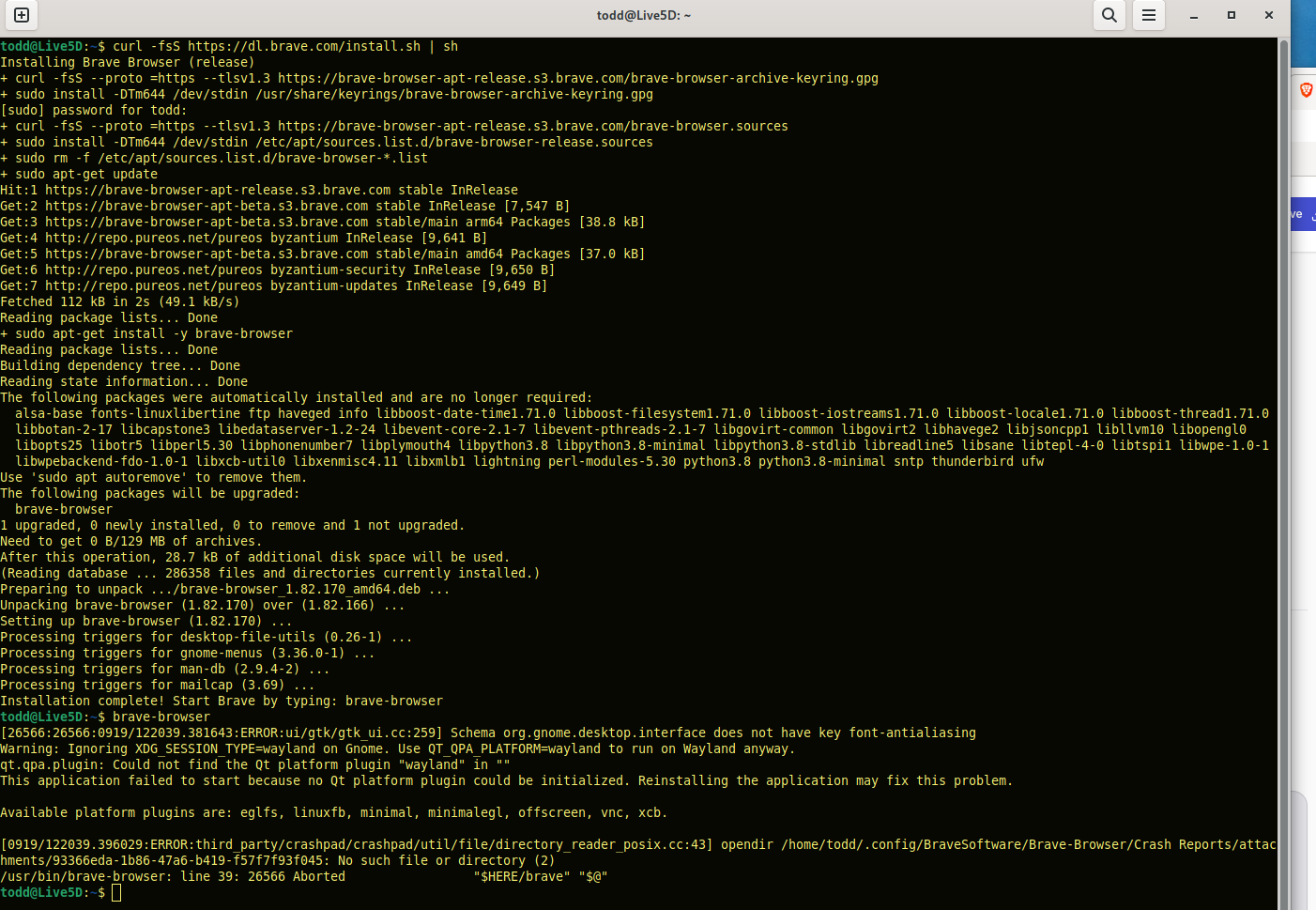
Hi, I just installed a software update and now my brave browser won’t launch.
Here is the error when I try to launch from command line:
todd@Live5D:~$ brave-browser
[7555:7555:0918/091538.880735:ERROR:ui/gtk/gtk_ui.cc:259] Schema org.gnome.desktop.interface does not have key font-antialiasing
Warning: Ignoring XDG_SESSION_TYPE=wayland on Gnome. Use QT_QPA_PLATFORM=wayland to run on Wayland anyway.
qt.qpa.plugin: Could not find the Qt platform plugin “wayland” in “”
This application failed to start because no Qt platform plugin could be initialized. Reinstalling the application may fix this problem.
Hi. I had a similar issue with Librem 5 Byzantium PureOS and figured that it was CIA/FBI/NSA/DHS choosing to not let me run Brave on mobile for now. But I still use it on x86 desktop/laptop version of Byzantium. Can you include more information about your OS version and system architecture that are affected?
[xcb] Unknown sequence number while processing queue
[xcb] Most likely this is a multi-threaded client and XInitThreads has not been called
[xcb] Aborting, sorry about that.
brave: ../../src/xcb_io.c:269: poll_for_event: Assertion `!xcb_xlib_threads_sequence_lost' failed.
/usr/bin/brave-browser: line 39: 31544 Aborted                 "$HERE/brave" "$@"
Did you try to reinstall? sudo apt-get reinstall (etc) or removing and installing again straight from brave’s website (using that curl command) - seemed to work yesterday
The error you are seeing suggests that the wayland plugin for Qt is not installed, the most likely reason would be that the software update has removed the plugin or one of it’s dependencies.
I’m assuming you’re running PureOS Byzantium? What is the output of…
Look for the Installed: line, if it shows (none) as in the above sample output then you need to (re)install the Qt wayland plugin, if it shows a version number then I would suggest checking the dependencies are installed and available.
You will need to reinstall the plugin package, from the terminal…
sudo apt-get install qtwayland5
There may have been other packages removed so Brave may still not run after reinstalling qtwayland5 but that should resolve this initial issue at least.
As a very non-technical PureOS user, can you please explain in layman’s terms why this is happening and if it is likely to happen on all future updates of Brave? The same issue affected Vivaldi and the same solution fixed it. I don’t understand what the “Wayland plugin for Qt” is and why it is being disabled. Is the because Wayland is being deprecated and PureOS hasn’t caught up yet? Many thanks!
It’s unlikely that’ll you’ll encounter this specific error going forward as if you have used the sudo apt-get install qtwayland5 command then it’ll now be deemed to have been installed manually. Manually installed packages should only be removed if you specifically do so, also manually.
As to why it has happened, I couldn’t say with any certainty. It’s not mentioned exactly what was updated, rather reporting only “after a software update…”. If your software update method creates a log file, then looking through that may give some clues.