Can't one chat for one person now.

I can no longer send text to one person in my list. It worked before, not today.

Assume Bob is my contact in Chat at the top of the list.

  1. List itemOpen Chat
  2. Click on person (Bob) at top of list.
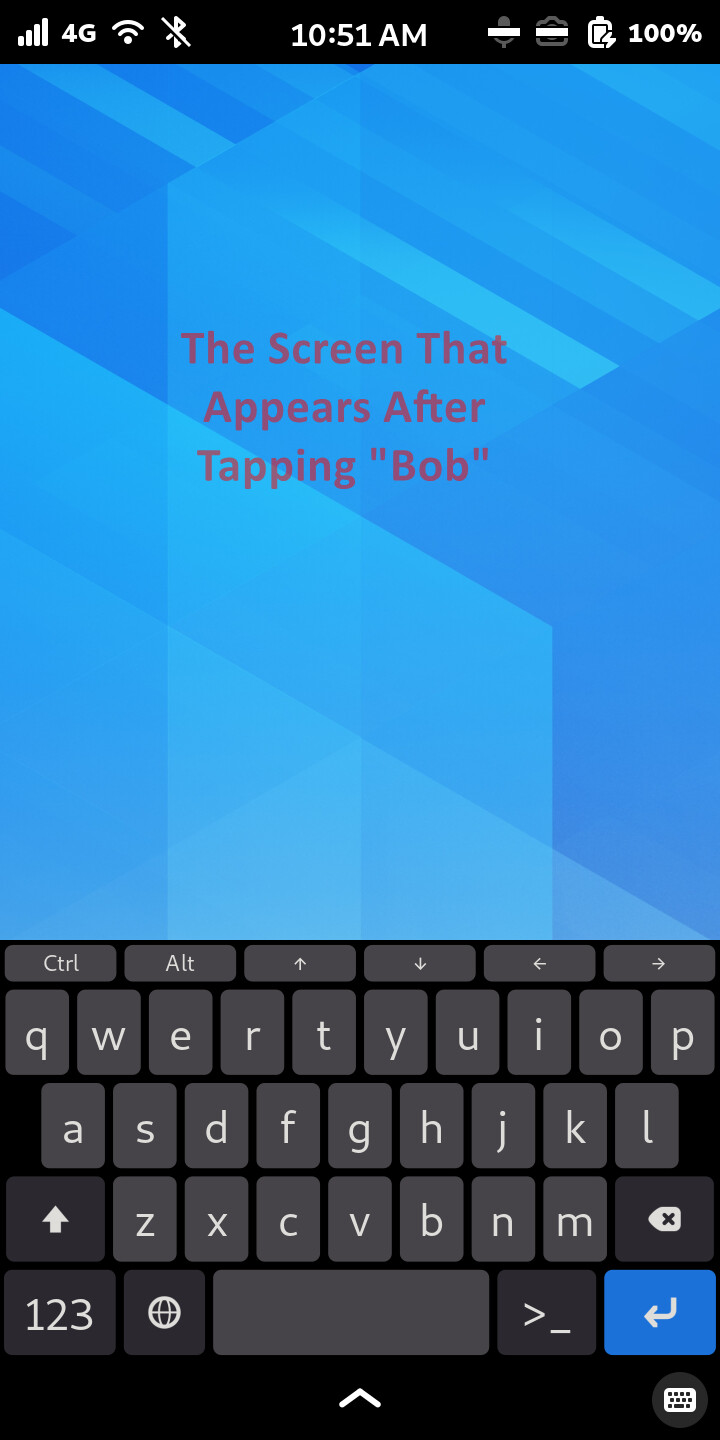
  3. It opened, but it’s just that blue-ish pic of blue square linux background. (see pic attached)
  4. Other Chat people are showing up OK.

What I tried -

  1. List itemShutting down the L5 - full shutdown - waited then rebooted.
  2. Pulling battery.
  3. Left blue screen for 15 minutes to is anything would show up - like the Store does.
  4. Had Bob send me a text. It arrived but opening the discussion just results in the same Blue screen again.
  5. I had someone text and the received showed up at the top, moving Bob down a notch.
  6. Same thing as before, not a fix.

Next test:

  1. List itemI have a Group text (BSoD). There are 3 members in it including Bob.
  2. I sent a text to Bob.
  3. All received it including Bob.
  4. But when I reply or new message to Bob, it still goes to blue screen of
  5. When Bob responded to the Group text, I could read it there.

SUMMARY:
It appears that Chat doesn’t like Bob. Why?
ADDENDUM:
Just added image.

~!s

Need more information like OS and version. I tried “Bob” as a contact name without problem. Is there anything different about the phone number text from your other contacts? e.g., 01 23456 789 vs 0123456789

You could try starting chatty from the console with more verbosity and see if you get an error message. ‘chatty -vvvv’

PureOS 10 (Byzantium)

No, all numbers in Contacts is same 123-456-7890 format.
Yes, in Phone list, all numbers are example 1234567890
Yes, in “Calls > Recent” numbers are example 1234567890

Of Note!
I open a text to Bob and I get the Blue Screen of background(?)
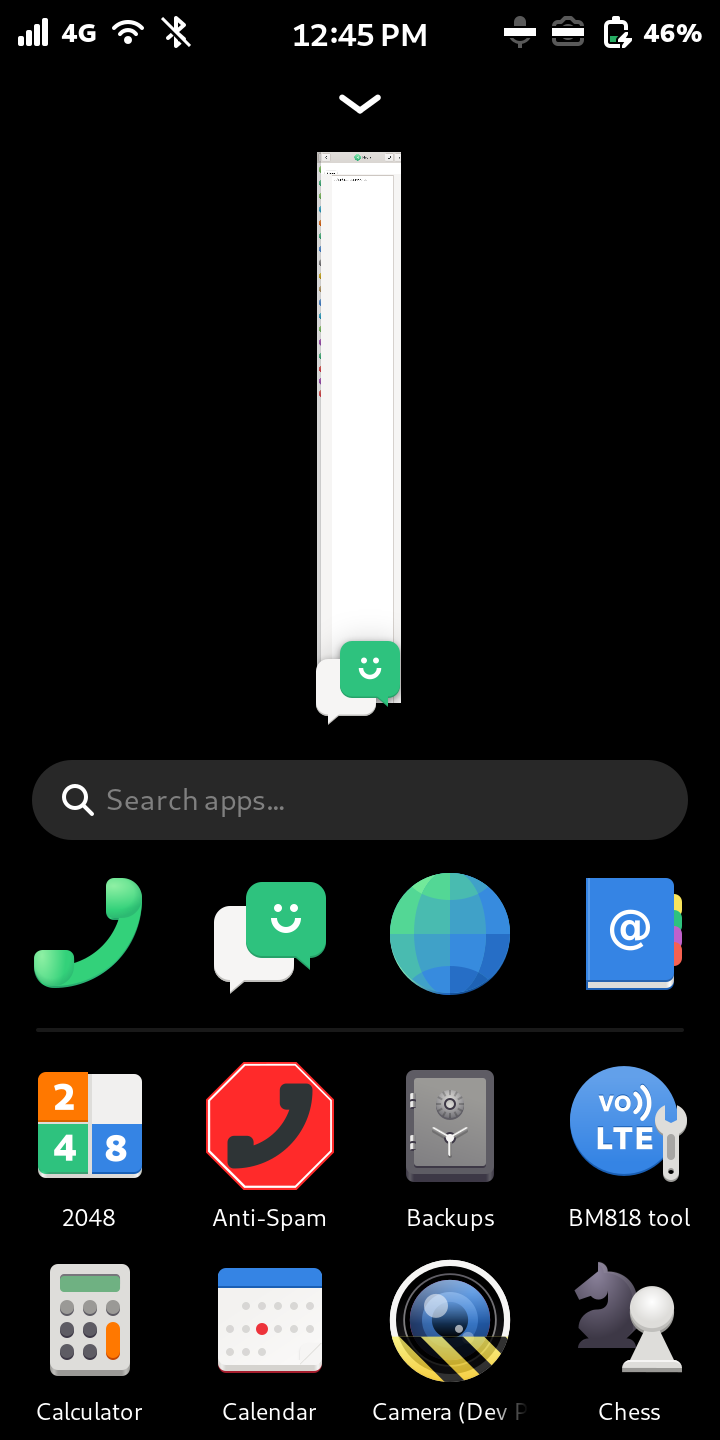
With Blue Screen I swipe up and a new screen shows the list of contacts but - well, see the attached image. The screen width shrinks the List down. Trying other names doesn’t shrink the width after swiping up. Just Bobs account.

Weird huh.

~s

OK. A question unanswered must mean there is no hope of fixing the issue - or ghosted, or forgotten, or too difficult or, or and or.

Another reason I can’t trust the L5 to be reasonably user friendly.

I certainly don’t want to be a beta tester with Crimson with all the issues I have seen.

s~

You might try this:

  1. Close Chats.

  2. Delete the “Bob” contact from the Contacts app, but first write down all the info from the contact so you can add it back later.

  3. Relaunch Chats.

  4. Tap your existing chat with “Bob.”

  5. See if it still misbehaves.

  6. If so, close Chats, create a new contact for “Bob,” launch Chats, and see if it’s still messed up.

  7. If you don’t mind deleting the existing “Bob” chat, you could try again by starting a new conversation with “Bob.”

Byzantium isn’t supported anymore, so it’s not going to have any fixes anyway - neither functional nor security ones.

You could try the upgrade tool that Purism provided and move up to Crimson, but in my opinion, with the numerous malfunctions your phone has exhibited, I would do a clean flash of Crimson. (You’ve done a flash before.)

If you do want to flash Crimson anew, if there are some things you’d rather not lose in the reflash, I’m sure we can talk you through copying and saving a few items in the file system in order to restore them after you’re running the new OS.

Or try upgrading using the upgrade tool app first, and see how it goes. If things are still borked, you can then do a reflash. Upgrading using the app should retain all your data… if all goes well.

A reflash will obliterate all existing data.

I will copy the entire database for Chats. Then try reading it w/ a reader and see what happened, perhaps grab some pieces before I flash to Crimson. I might try to create a dbase name, import the file using MySql and edit it there or try PHPmyAdmin.
Time - there never is enough time.

:face_with_spiral_eyes:

~s