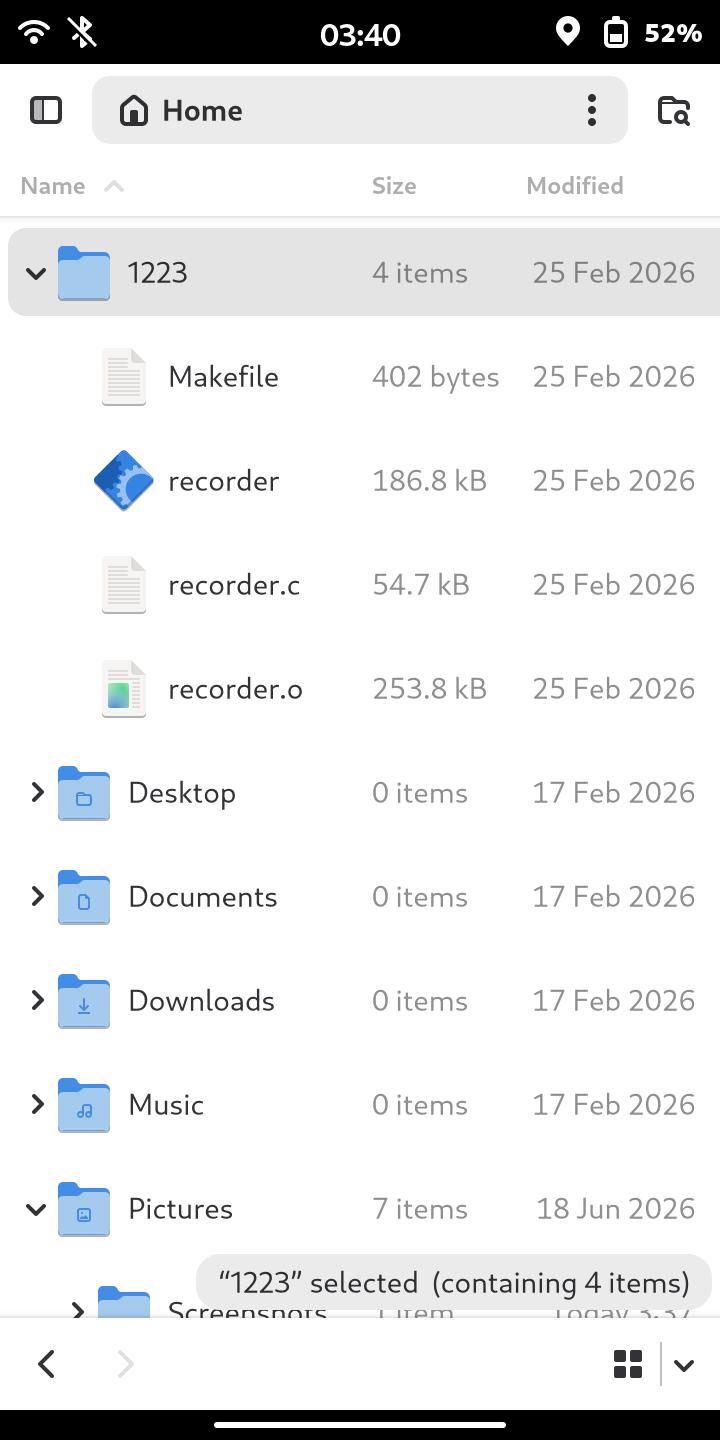
No show-stoppers here, either, on a Librem 15v4 (noticed you had a 15v3). One annoyance is that Nautilus (aka Files) is a version for which the GNOME developers decided to be King for a day and remove expandable folders in list view. That was a show-stopper for me regarding Nautilus, so I switched to Nemo. Aren’t forks a beautiful thing about Free Software? After a big outcry, Nautilus restored expandable folders, but it looks like we will have to wait for PureOS 12 Dawn (based on Debian 13 trixie) to get it. However, I’m really liking Nemo. 
… which version exactly is that?
From the BurgerMenu>About Files: 43.2
More exactly, from apt:
nautilus/crimson,crimson-updates,now 43.2-1pureos2 amd64 [installed]
Nemo is at:
nemo/crimson,now 5.6.4-1 amd64 [installed]
In general I like what the GNOME Project has done, but in this case they did what Apple is famous for (and why I totally switched to GNU/Linux in 2018): dumbing down the UI so much that you can’t do what you need to do or have to do it in a much more cumbersome and time-consuming way. 
p.s. There’s one thing I do a lot that nemo doesn’t do out of the box: bulk file rename. You can set up a command to run, but I haven’t done that yet. Nautilus does it mostly well, but there’s one rename pattern I do all the time that Nautilus can’t handle. For that I use krename, the absolute king of renaming, which you’d expect because that’s all it does.
From apt:
krename/crimson,now 5.0.2-1 amd64 [installed]
p.p.s To be generous to the GNOME team, the removal of expanding folders in list view (aka “tree view”) was more than them just deciding to be King for a Day and deciding how things should be. There’s a long saga of all the technical problems with the under-the-covers libraries and how it sucked and how they needed to modernize so things worked better. So they did a ton of under-the-covers library upgrading, which did improve a lot, but for some reason they didn’t wait until they could do tree view reliably, so they dynamited it. That dynamited the workflow of many people like me, so all the technical justifications in the world don’t matter. It’s unusable for me. So, hello nemo!
OK. Thanks. I can confirm that the feature is back in 46.4 i.e. the feature did, as you say, come back. (I don’t know the exact version that it came back in and hence don’t know whether dawn will do the trick.)
For pattern rename I just wrote my own (command line only, no GUI - but, hey, if one is going to have to understand regexes then one can damn well do it from the command line  ). It would be nice if it were available directly within Files.
Given how crucial management and maintenance of files is on just about any computer, it is surprising that it is so difficult to get a file utility that does exactly what I want.