@tovadiratum Have you been able to get this working?
I’ve been trying the same thing. I’ve been working with a skilled Linux-guru friend and we were able to get a little farther than you had, using this article for reference but I’m missing what I hope is the final step. The current state is that I can select either OS from a boot menu and PureOS still works as it did before, but Ubuntu will only launch in recovery mode. If I try to launch a full version of Ubuntu, I get the login screen but my keyboard and trackpad are disabled. I’ve been scouring the internet to try to figure out what we’re missing.
In response to your question, this article has clear instructions about resizing your logical volume and LVM physical volume but it doesn’t deal with LUKS encryption. The second link has some really useful pointers for that, but obviously you can’t use it as a walkthrough unless you want to wipe your machine and start from scratch. One gotcha while resizing: my filesystem sizes were shown in GiB so remember to convert to GB and subtract from the total size in order to get the size you want. I made a mistake in my first attempt but was able to balance things out by reducing and then extending the volume to minimize wasted disk space.
After getting my encrypted partitions set up, there was an error when I ran the Ubuntu installer and it couldn’t create its bootloader, presumably because “grub can’t access the secondary bootloaders if they are sitting in an encrypted LUKS container” (from the LUKS encryption article above which I found after the fact).
I noticed in my /boot/grub/grub.cfg that the menu entry for the generic kernel was missing an initrd path, like this:
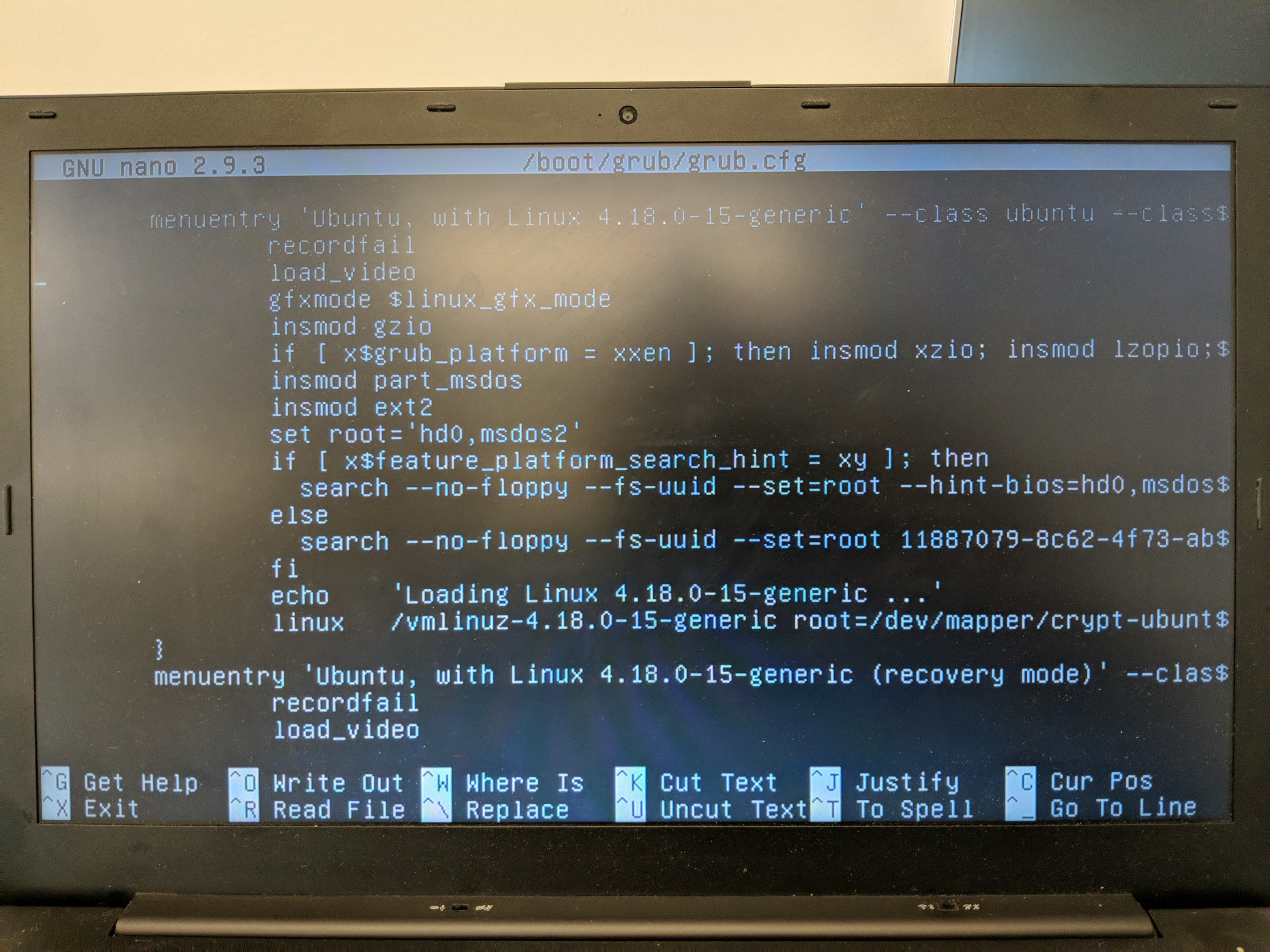
…so I generated one. First I made a backup copy of my boot/grub/grub.cfg so I could restore to my current working state if anything went wrong:
mkdir boot/old
cp boot/grub/grub.cfg boot/old/
Then I generated the initrd and updated grub like so:
update-initramfs -v -c -k vmlinuz-4.18.0-15-generic
update-grub
That sort of worked, in that I can now see my initrd path in grub.cfg, but after rebooting and selecting Ubuntu 4.18 generic it drops me into a BusyBox prompt and I’m not sure what to do next.