Now I am using my u-blox gpsmouse for some time. And so I can give more reliable information about using it.
For me it really solved all problems with gps and the librem5. The GPS is now very fast. Puremaps is working great in the car, on my bicycle and while hiking.
Because I have two librem5, I think either the internal GPS of both of them has an abnormal bug, that makes them work slow, inaccurate and let them require to much time to get a fix.
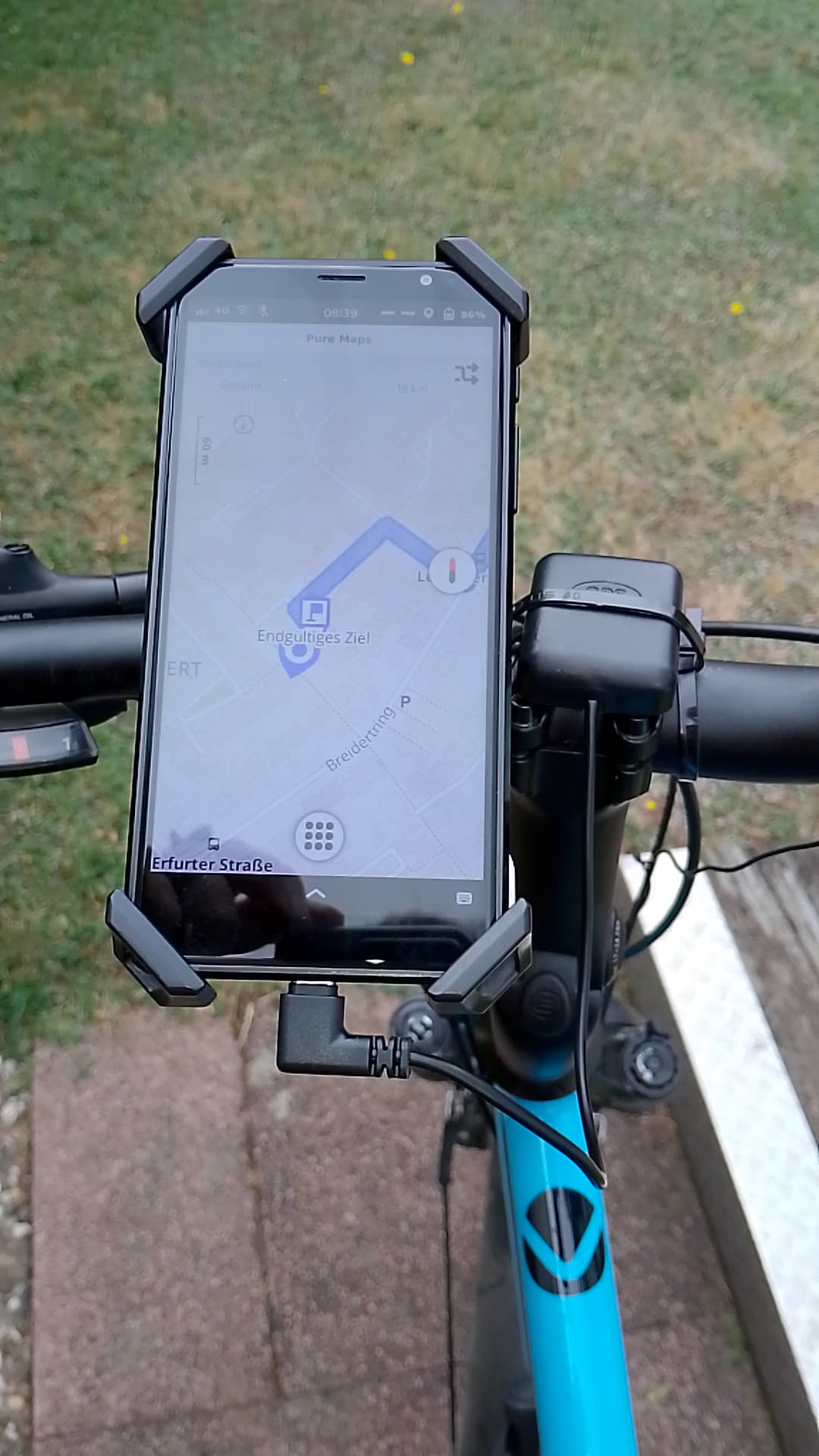
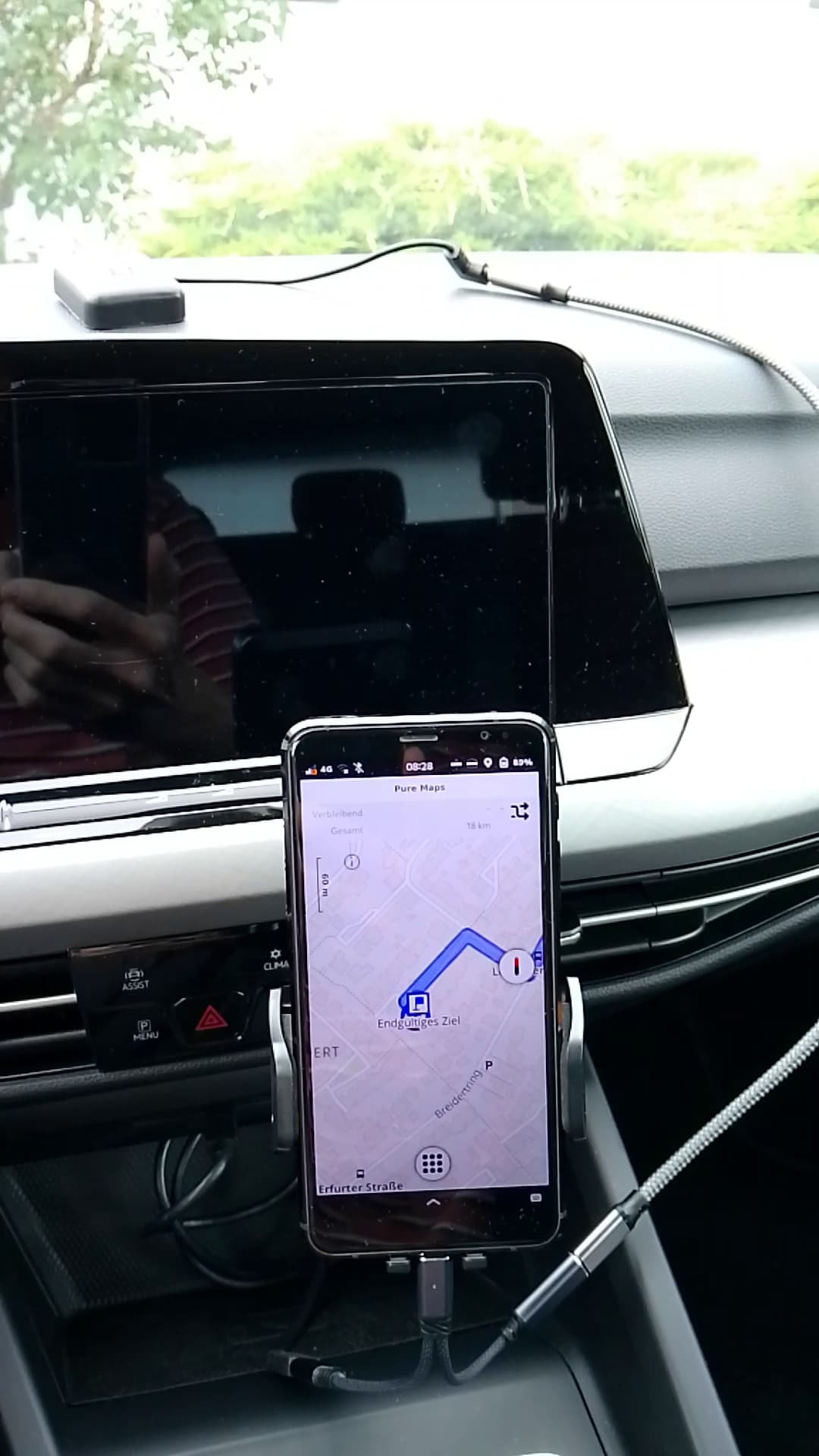
Or if the internal-GPS behavior is normal, every user of the librem5 has the same problem with GPS. And if all users have this GPS problem, than I wonder if the described solution has been seen by all who would benefit from it. So to make it more visible I will attach 2 photos.
In the bicycle photo the librem5 is connected to the u-blox gpsmouse. If I use it, I always have a replacement battery (the battery of my second librem5) with me. I do not notice that the u-blox gpsmouse needs relevant amount of power, but I think the required monitor brightness on the bicycle needs more power. So I often have to change the battery after a few hours.
The photo in the car has a usb splitter Y-cabel to split power and data. The data cable is connected to the u-blox gpsmouse that is lying on the car dashboard. The power cable is connected to the car usb plug socket.
Last thing I want to mention is, that you have to run the script above (https://salsa.debian.org/bs/gpsmouse) only one time. This makes sure, the u-blox gpsmouse is detected and attached automatically when it is connected.
And you can run it with the option -i for “interactive usage” . Then each command will be shown, and you have to press Enter to execute it. And if something fails, you can tell exactly which command in the script has failed. You have to install shellia first. It starts like this (on my librem5 named puribi):
purism@puribi:~/src/librem5-setup/gpsmouse/gpsmouse-official$ sudo apt install shellia
Paketlisten werden gelesen… Fertig
Abhängigkeitsbaum wird aufgebaut… Fertig
Statusinformationen werden eingelesen… Fertig
shellia ist schon die neueste Version (5.10).
0 aktualisiert, 0 neu installiert, 0 zu entfernen und 1 nicht aktualisiert.
purism@puribi:~/src/librem5-setup/gpsmouse/gpsmouse-official$ ./setup-gpsmouse -i
=== setup-gpsmouse ===
1 [ "$(whoami)" != "root" ] || err "do not run as root"
2 install_debs -i
3 build_and_install_gps_share -i
4 prepare_gpsmouse -i
5 prepare_gps_share -i
d ... change dbg: 0
i toggle -i flag
c continue without questions
q quit
? [1]
I hope this was helpful for some users of librem5 and gives you the needed bravery to try it.