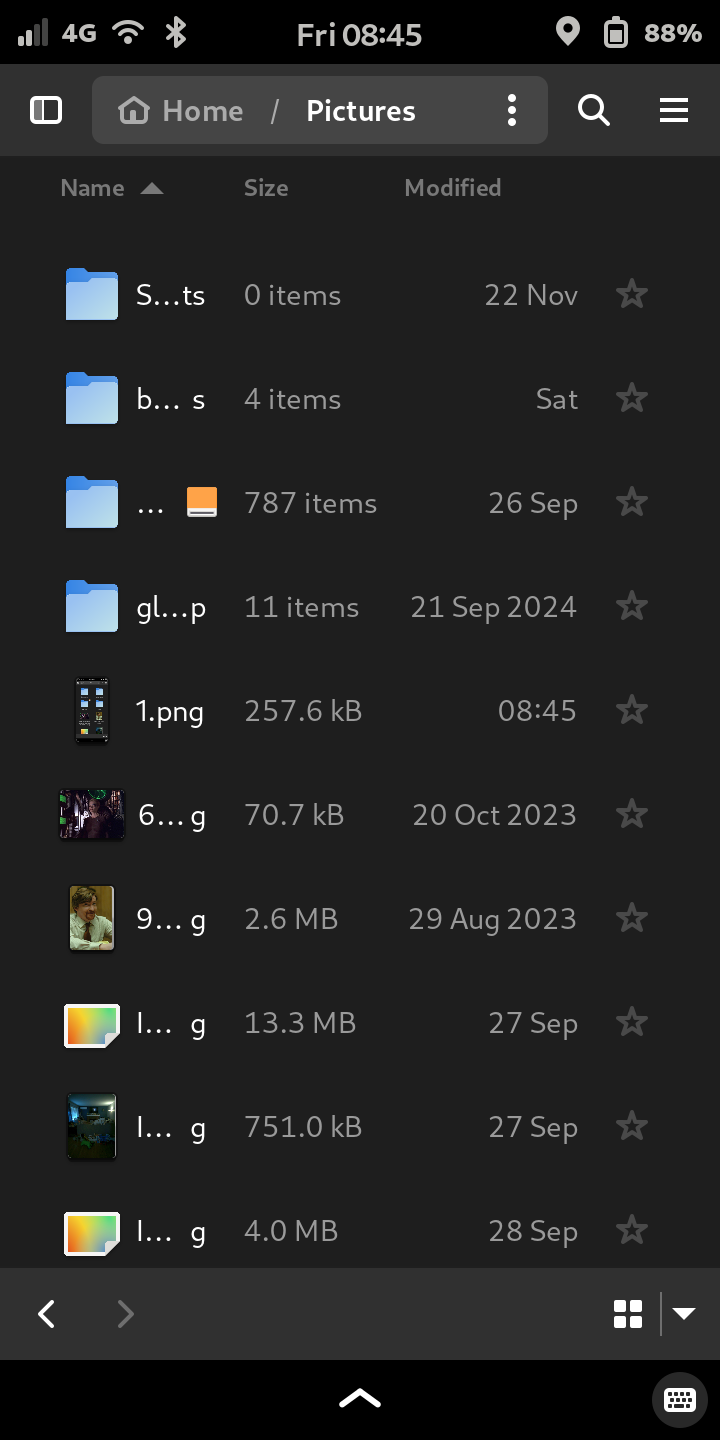
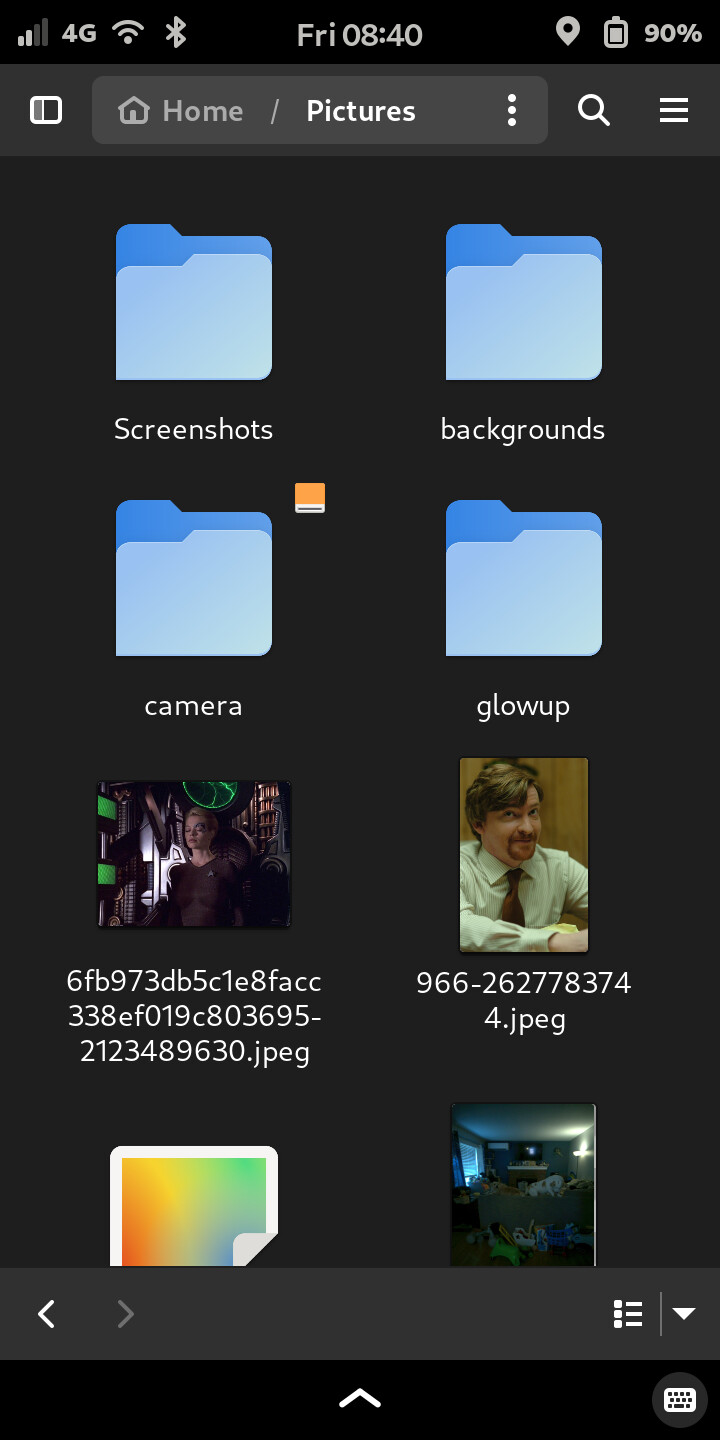
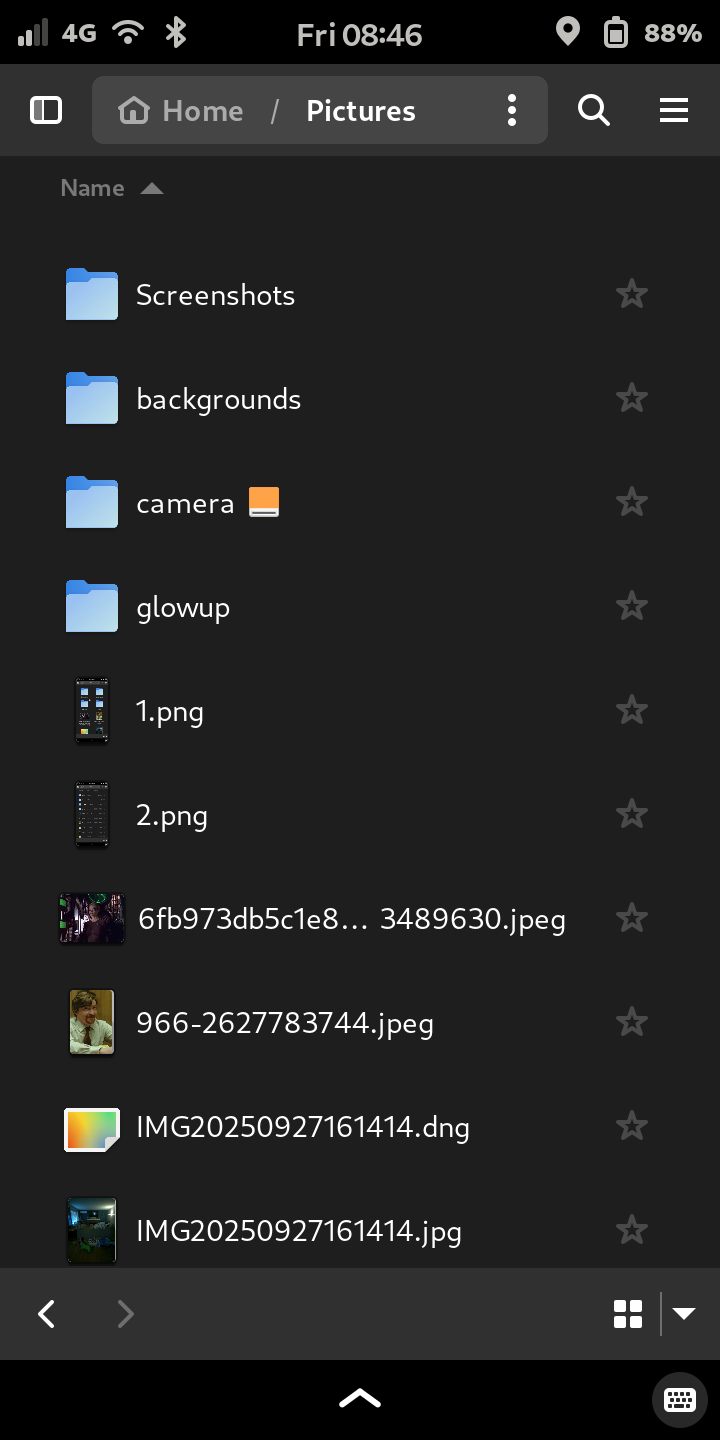
I’m trying to set Files program to show full name of the files instead of only first 4 letters then 3 dots “…”
I don’t care if it wraps on the next line.
I asked it to AIs (battle) and they answered me it’s no possible due to Purism “manumission” and suggested me to use another file manager like nemo. Another AI suggested me this command:
gsettings set org.gnome.nautilus.list-view use-tree-view true
but it didn’t work!
I’d like to use Files default app but showing fully file names!
Maybe some of you knows how to do it?
(Humans 1 vs AIs 0 ? )
Thank you so much
In List View, click the down arrow in the bottom right and go to “Visible Columns”. Uncheck everything that it allows (I had to do a kind of double-tap to make that work).
@spacemanspiffy@amarok thank you so so much for your suggestions!! I really appreciated it!!
But I’m just curious to know if it’s possible, in some way (modifying File app source code? Asking to Purism to modify it into PureOS? Other way?) to avoid dots and have full name wrapped on the next lines!
It may be that the only way to know whether it is possible is to examine the source code. In other words, “use the source, Luke”.
General observation: GUI file apps prefer that the window depth allocated to each file be the same - because it makes a whole lot of things a whole lot easier.
Consider that if each file entry wrapped to as many lines as is needed then file names can potentially be 255 characters long (or much longer depending on whether it is a remote file system, the remote file system access protocol in use, the nature of the remote file system - or if local file system then the nature of the local file system).
So the layout would be much uglier and much harder for the code to work with and would probably exhibit some anomalies (e.g. as illustrated by the way vi “works” with a file with very long and hence wrapped lines).
Another approach on the whole problem as demonstrated by nautilus on a big computer is as follows.
Shrink the total window width until one or more file names start getting “…” inserted into the displayed file name. Then use right-mouse (i.e. context menu), Properties on one specific abbreviated file name. A new window pops up (modal dialog box) and that window displays the full file name, using a more relaxed layout.
If you are routinely having problems with long file names, it may be an alternative workaround to set the window scaling for that specific file application. That is likely to be a trade-off between fitting more information on the screen and being too small to read, so may be eyesight-dependent.


 )
)