Librem 14 displays an error after reinstalling PureOS

Hello. I reinstalled PureOS on Librem 14.

After booting up, the computer displays an error: One of the files containing integrity information for /boot is missing!
If you are setting up heads for the first time or upgrading from an older version, select Yes to create the missing files.
Otherwise this could indicate a compromise and you should select No to return to the main menu.

I press Yes.

Then it says: “Please confirm that your GPG card is inserted y/n.”

I select Yes.

After that, it gives an error: “Failed to update checksums / sign default config” and you can only press OK.

I click Options - Update checksums and sign all files in /boot and again I get the error Failed to update checksums / sign default config
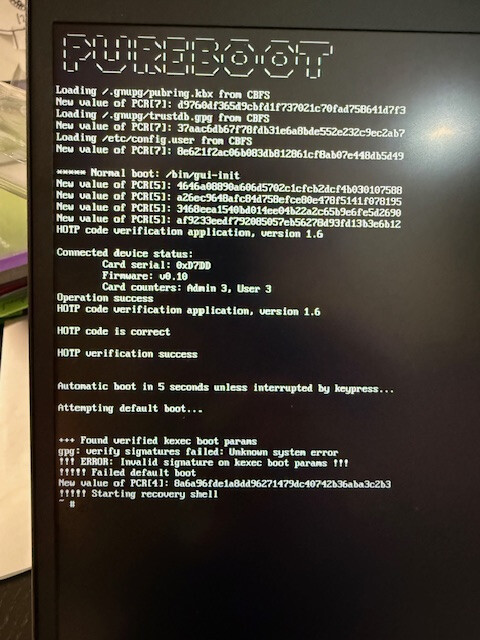
Please help

1 Like

I believe that after installing an OS and keeping the same PGP keys requires a TPM reset as well as a HOTP/TOTP reset afterward.

Without the resets, you will likely (or definitely) run into the ERROR: Invalid signature on kexec boot params error.

  1. Install OS.
  2. Reset TPM.
    • OptionsTPM/TOTP/HOTP OptionsReset the TPM.
  3. Generate a new TOTP/HOTP secret.
    • OptionsTPM/TOTP/HOTP OptionsGenerate new TOTP/HOTP secret
  4. Re-sign boot files.
1 Like

This did not help solve the problem.

I reset to factory settings as indicated here

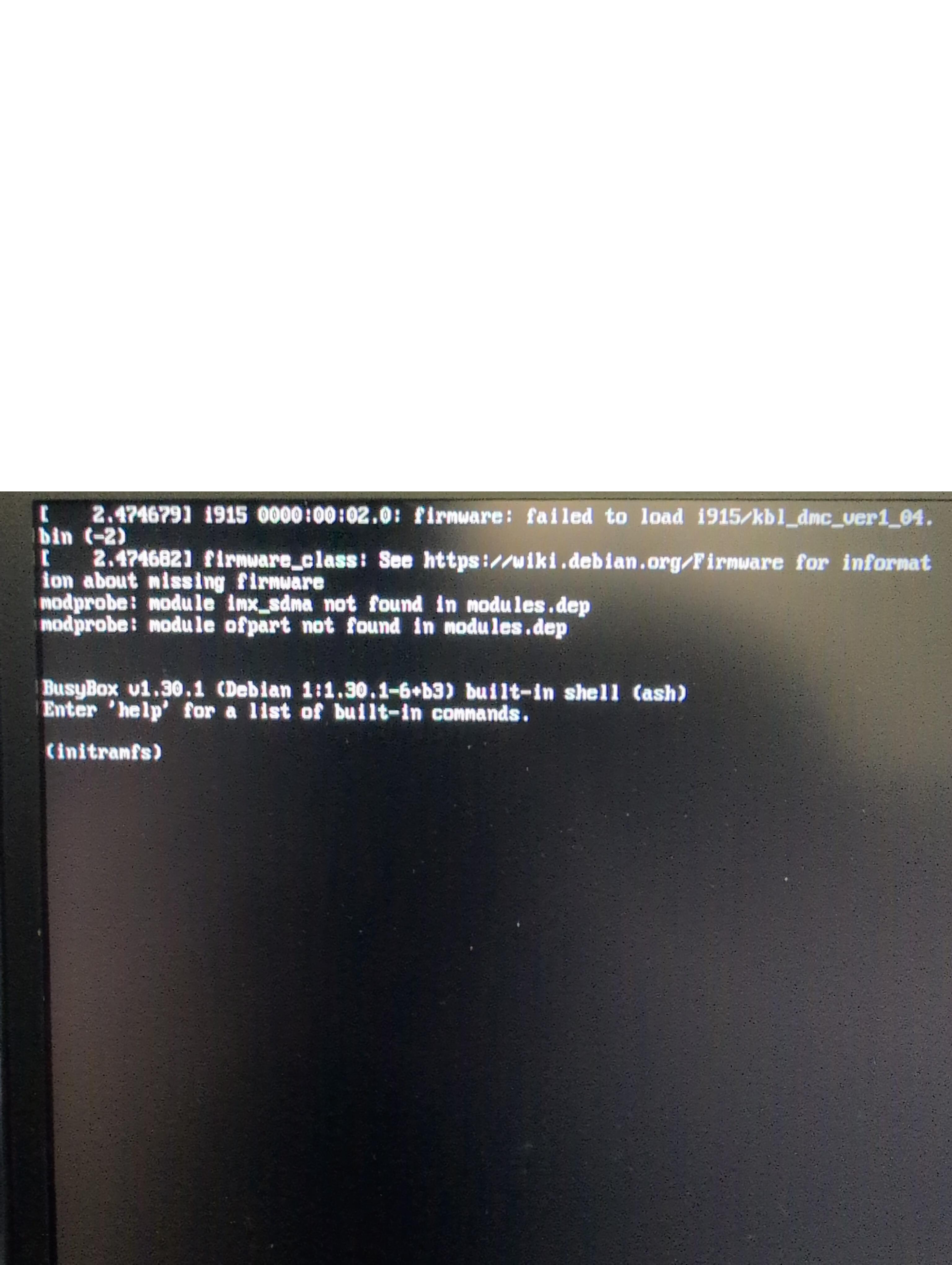
Everything went well, but after restarting the laptop, PureOS started loading and gave the following error

I attached a photo.

I tried reinstalling PureOS again and got the same error.

1 Like

Can anyone help me?

Purism probably can: Contact - Purism user documentation

I looked there, but couldn’t find an answer to my question or a similar situation.

I meant writing an e-mail there so a qualified support team member can guide you through your issue.