Been having a problem where the Librem 5 modem disappears as if from the kill switch. The first two times I saw this, toggling the switch both ways brought the modem back online.
But now it’s just gone, as if permanently killed off. I’m overseas and this is my daily driver, so shipping it to Purism or rotating to a backup device is quite inconvenient. What are my options? Where should I look to debug?
Yes. And it’s been fine for several weeks in this region. But in the process of unscrewing the back and sticking the region specific modem, maybe I losened something by mistaken, which finally croaked weeks later?
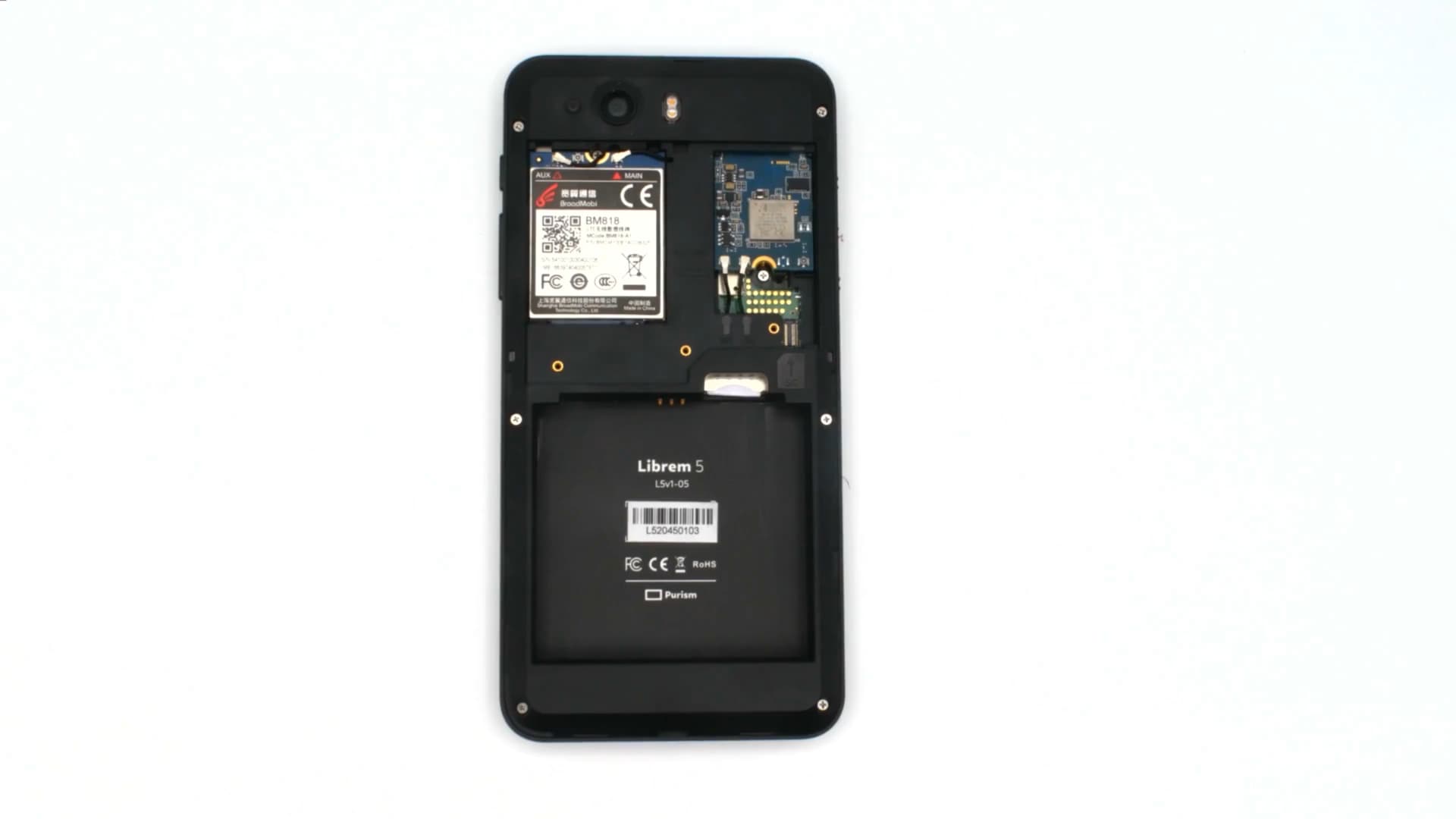
This has reminded me that before traveling overseas to get here, when I opened the back and replaced the modem with the version matching the destination country’s bands, I had the distinct impression that it was not installed correctly.
The two connectors seemed okay but the modem felt slightly off, as if it would not click into place in the way that I might have expected. But it has been largely working fine for weeks. I might reply here with more when I have time available to open it up.
Knock on wood, at the moment I’m sending this message over a different Librem 5 with a different SIM that I happened to bring along, despite it having the wrong modem for this country, so I may end up rotating devices if I can’t get time to navigate the modem. Thinking of that… moving the modem that matches the local country into that other device might be a very informative test.
Assuming, that is, that my process for disconnecting and connecting the modems is sufficiently careful that nothing is ending up wrong afterwards. The other spare Librem 5 that I brought along is the one whose modem was destroyedhere and later replaced, so I guess when I think about it, I have maybe a questionable track record of this. Seems that I have removed and reattached modems a total of 7 times across devices, as I recall, with one of them destroying the modem as in the above link and now this. So perhaps a 1.5 / 7 failure rate. This would seem to be higher than 20% chance of damaging it if I open it up, although thinking back to this story for why I opened the Librem 5 and damaged the modem that first time, back then I did not read the documentation and was not careful and perhaps deserved the outcome that I created. So maybe it’s actually a 0.5 / 6 failure rate which is closer to 8% and seems much lower.
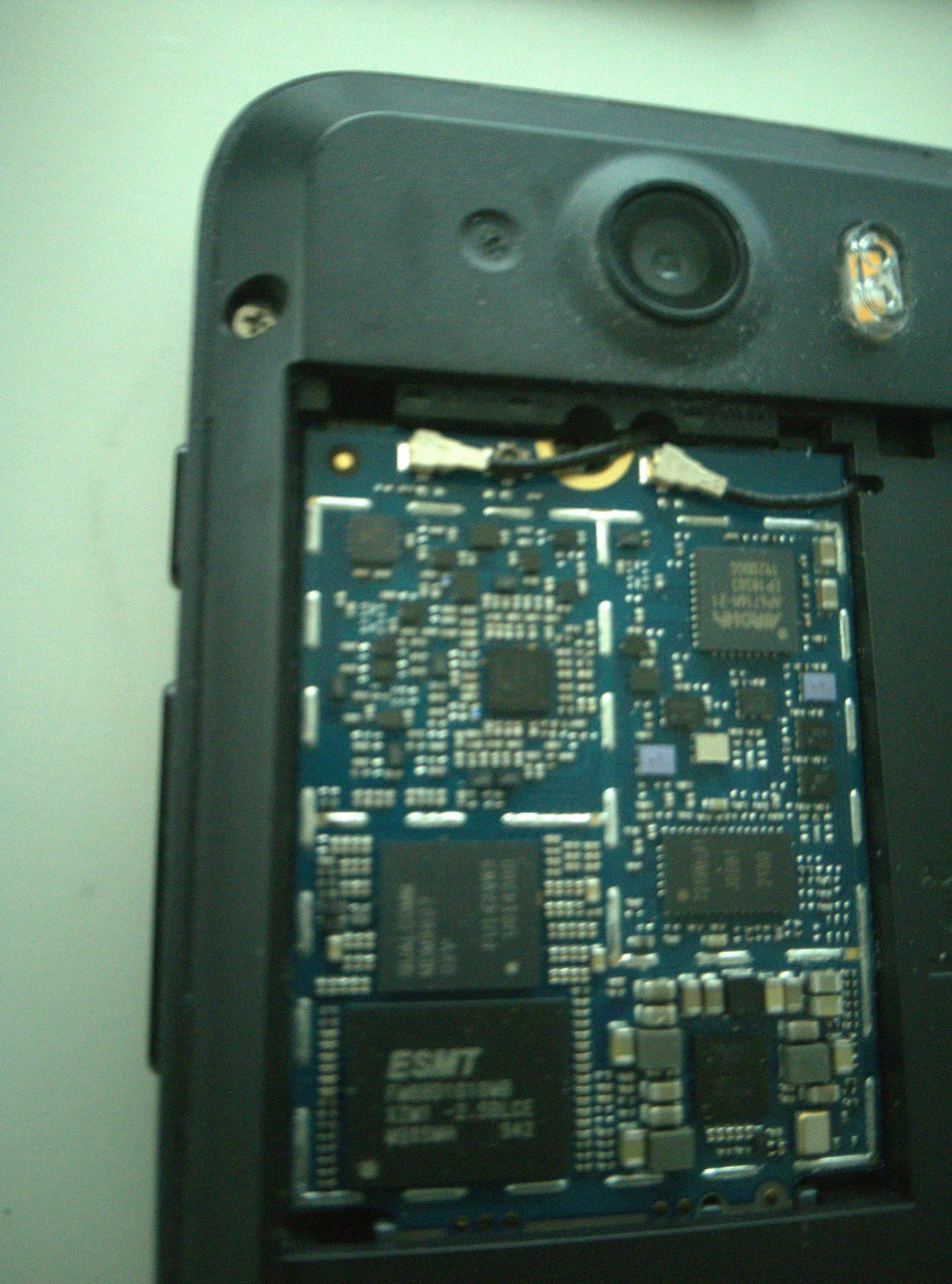
Okay I opened it up and found the cover of the modem with the qr code and ads and serial number and stuff had somehow dislodged, so I entirely removed it. It’s metal so I’m wondering if it was causing a short.
I’m sending this from the device with that removed, so… hopefully solved. Another victory for ownership and repairing one’s own thing with a screwdriver!
Are you sure this is a hardware issue? I observed the same phenomenon on mine. In my case, this be fixed by turning the modem off and on again using the kill switch. It happens about 1-3 times per week, but I did not see a pattern yet that might trigger it.
The issue has not occurred since removing the loose piece of hardware on the modem.
However, I have a second issue that still occurs which has a different symptom: sometimes even after removing the loose metal square cover, there will be times that the mobile data icon is visible on the top bar on the Librem 5 (indicating that the modem is on and is accessible to the Librem 5) but the internet data will not actually be working. In these cases, toggling the modem HKS will reload the connection and get mobile data again.
But for me that is a very different symptom than the modem icon disappearing entirely off of the top bar – basically losing connection to the hardware – and having it not come back even after toggling the physical switch. The “not come back even after toggling the physical switch” part was really stressing me out because it means that I could be unable to access data no matter what, seemingly at random. And that stress is gone after removing the physical metal square.
I daily drive the device so this is very real that after removing that loose piece of metal from the modem, the “very bad” symptom is gone and things are basically as they were before – albeit with the sometimes loss of data issue. But I figure that issue might be the carrier for all I know.
I observed both issues multiple times (modem disappear + mobile connection lost). I assume you also had to enter your SIM PIN after the modem was back?
Can you please elaborate on which metal piece you removed, maybe by marking it on a picture? It would be great to solve at least this one issue (I can live with mobile data losses much better than with a complete disconnect so incoming calls don’t get through).
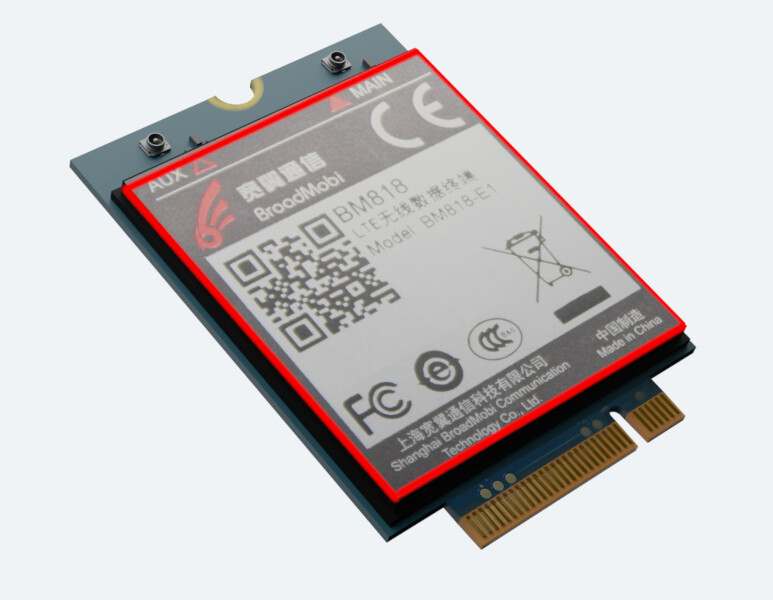
Above is outlined in red the piece that I removed. I hesitate to take a picture of mine because it includes so many serial numbers and other things, but in this image you can see the stock Purism photo with an outline.
I would not remove this if it were not already loose. Mine literally pretty much fell out when I unscrewed the modem cover plate.
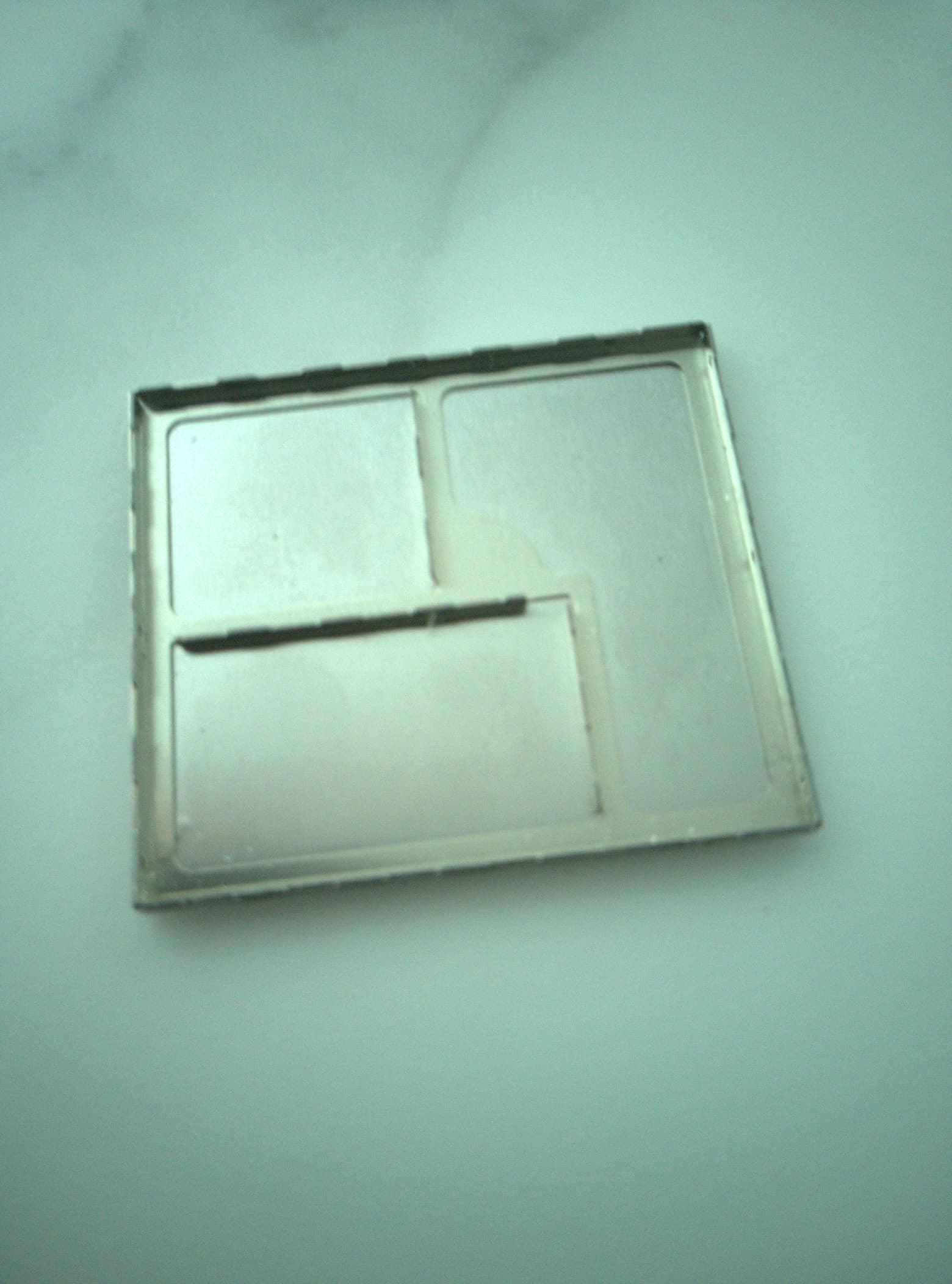
I have a photo of the blank aluminum reverse side that doesn’t have all the decals and serial numbers, I’ll see if I can edit this post to upload a picture of that.
It is very possible that this operates as a shield or heat dissipation unit, but in my case when it is already loose I do not know how to reattach it. And lose metal from my layman perspective doesn’t seem like it would pair well with delicate electronics.
Edit: For what’ it’s worth, even after removing this, the issues with losing data and needing to toggle the switch have been pretty bad. I am currently traveling overseas. I don’t recall them being that bad when I was in the United States, but perhaps I am misremembering. The data loss (needing to toggle the switch) may have also been less common prior to my recent issues, even when here in the same geographic location.
This is shielding that possibly also serves as heatsink material as you identified. These usually snap or solder on. Looks like this one may need soldering, a tough fix.
You definitely don’t want this loose in the case, as it could easily short something. It’s good that you removed it. Unfortunately I don’t know if there is an easy DIY fix for this other than replacing the card. It’s not possible to know without testing, but there’s a good chance it’s either a heat issue or interference due to the missing shielding, or electrical damage caused by the loose shielding. Reattaching the shielding may fix it if it’s one of the first two, but you would need to find someone with experience and good equipment in order to do that. I assume that something like this needs to be fixed with a reflow oven.
For me the question is also whether the device will still fulfill its absorbic rate (SAR) without the shield. Personally, I would rather not use it without the shield (though it’s better like this than with a loose shield).
Regarding the connectivity issues I must say that after disabling the modem sleep via the udev rule my modem did not have a single disconnect anymore so far. Hence I assume your connectivity issue might be related to this hardware problem with the shield.