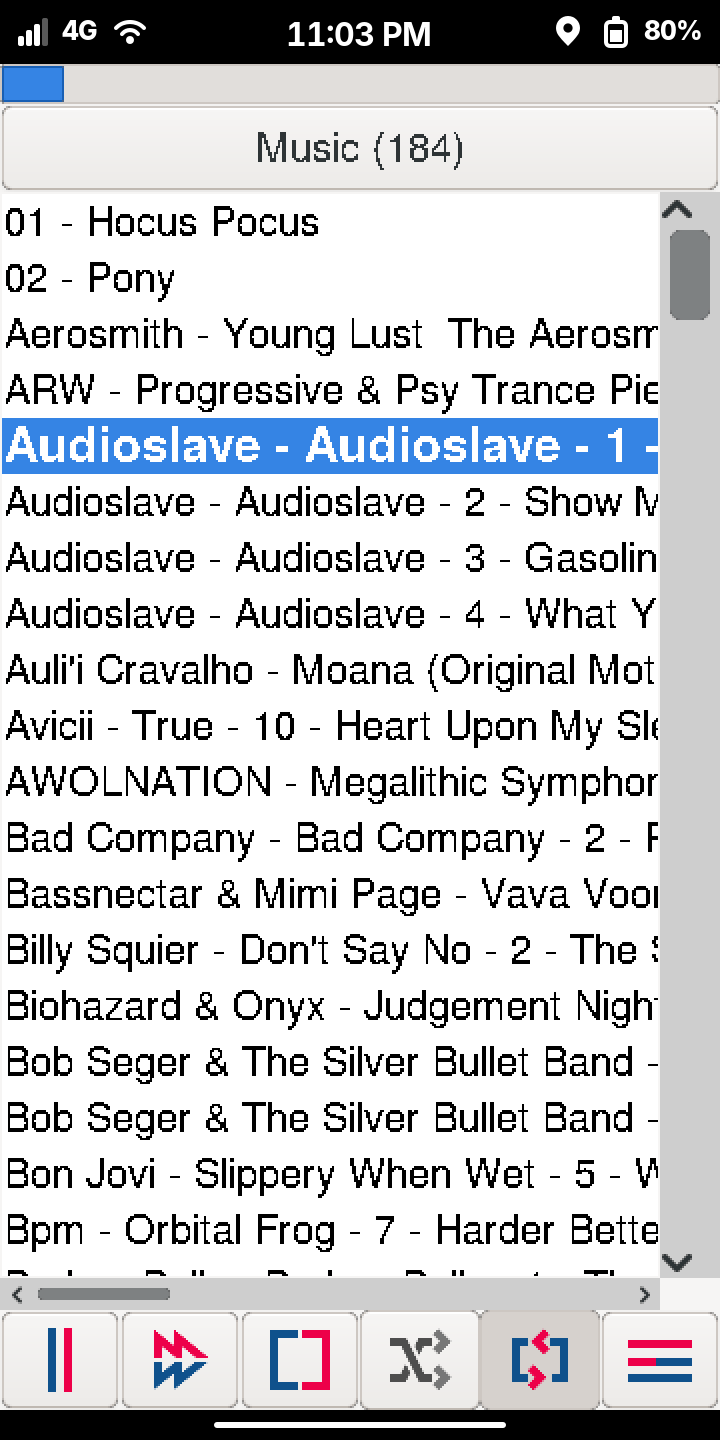
I have been daily driving my Evergreen Librem5 for a couple years now. One app I had yet to find was a simple MP3 player that played directories of songs, including recursively.
There are many MP3 player apps out there and they all seem to read the tags to build a database of your music. I don’t want to play an artist. I want to play a directory. And I want the option to play all the sub directories too.
So I wrote Music Dir Player (available on Github). I wouldn’t call it ugly, but I wouldn’t call it it pretty either. It focuses very much on working well on the Librem5 and not needing many clicks to get to playing music.
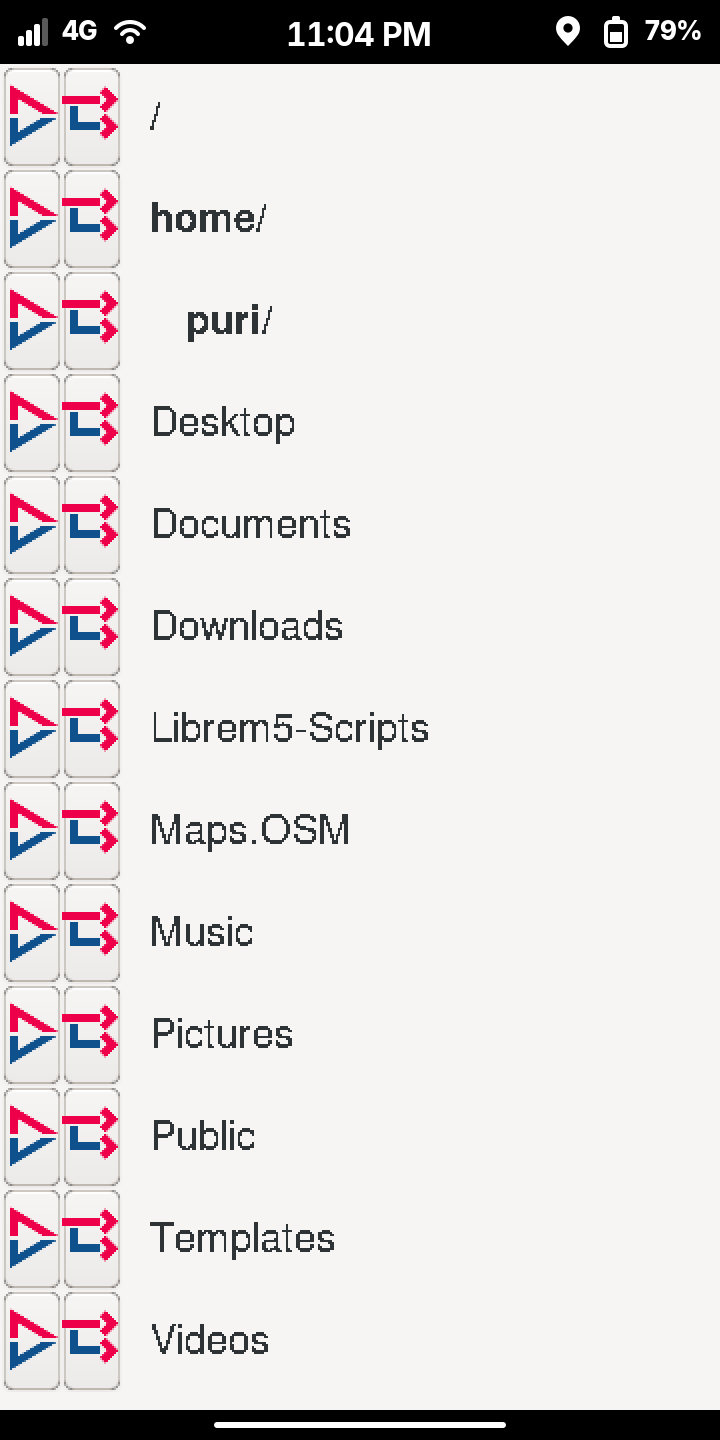
Did I mention it recursively plays directories of music? Buttons to play just that directory, or to play it and everything under it.
At startup, automatically resumes last directory played
Supports MPIR DBus - so you can control it from Bluetooth devices or Phosh’s media player controls
No internet required
Works fine for playing music off the SD card. For convenience, I mounted my SD inside my home.
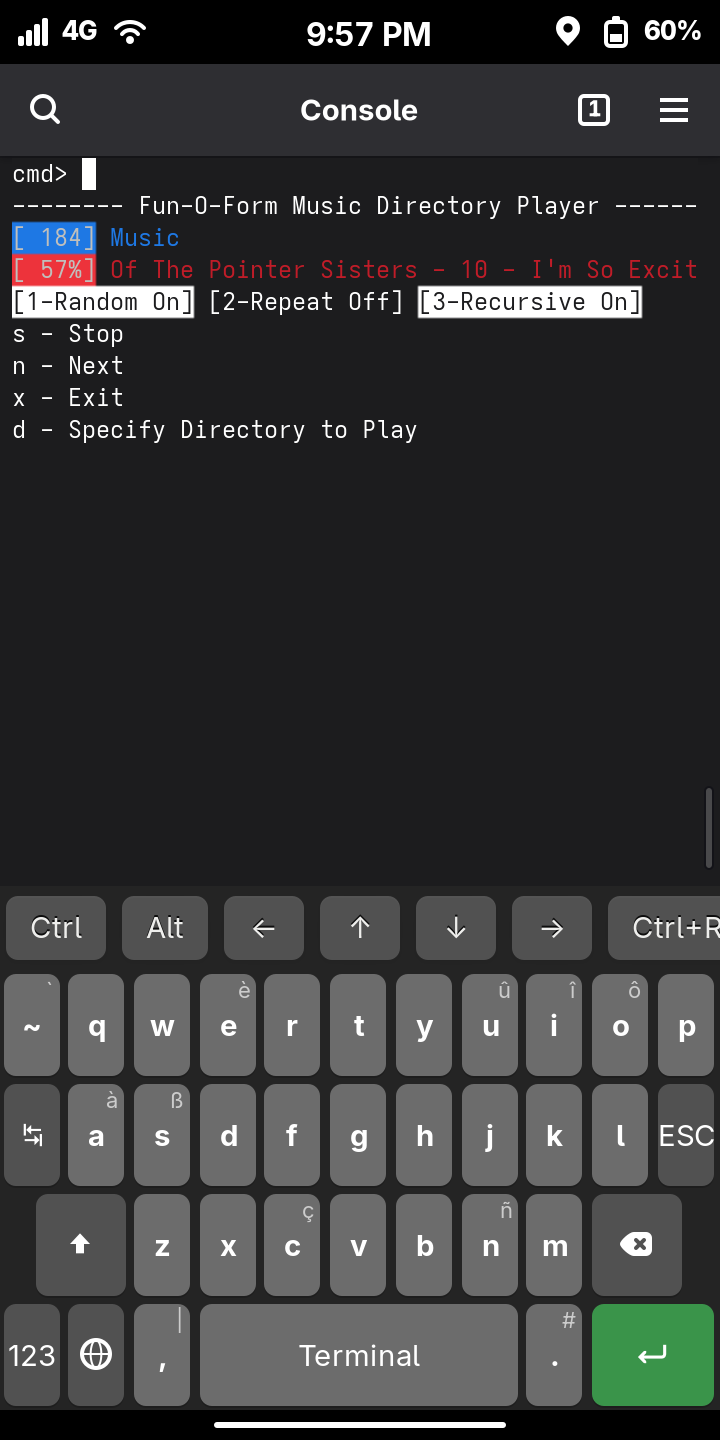
Provides an optional command line interface, because who doesn’t want to use a CLI on their phone? Run the GUI, CLI, or both.
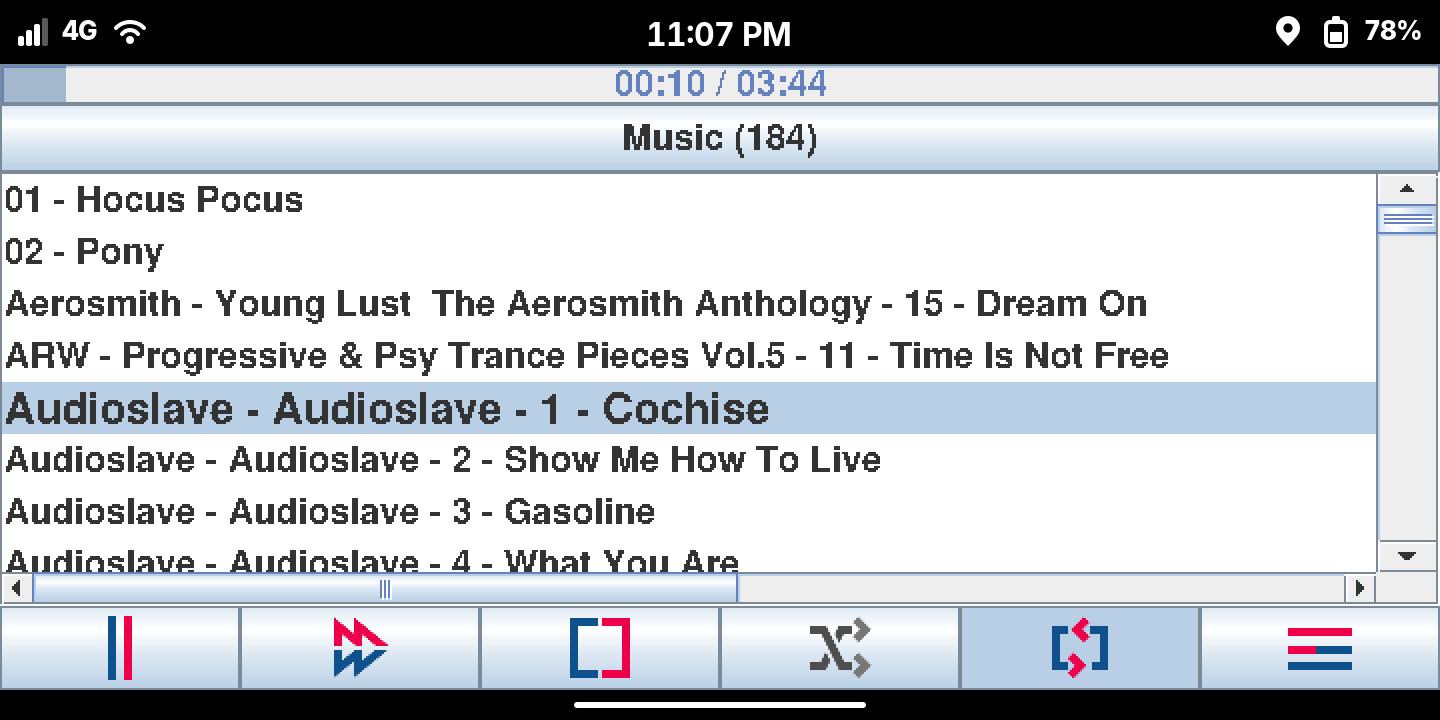
An options dialog where some behavior can be customized, including the look and feel. They all look old, some less than others.
Works fine with large collections of music. If your collection is enormous, or your storage device is slow, fear not. The app only search a directory for songs for 10 seconds (configurable) before giving up and just playing whatever it found so far.
Installation
The latest release is on github and the readme provides installation instructions. In short, install Java, download the release, extract it, and run the install script. You will then see Music Dir Player in your list of applications.
sudo apt install openjdk-17-jre
# or for PostmarketOS, sudo apk add openjdk25-jre

wget github.com/fun-o-form/music-dir-player-java/releases/latest/download/music-dir-player.zip

unzip music-dir-player.zip -d music-dir-player
cd music-dir-player
./install.sh
I was far happier using the media player on my Y2K Linux Sharp Zaurus SL-5500 than all of the smart tell-me-what-to-do players now on modern mobileLinux. Please stop helping me to not listen to my music the way that I want to listen to it.
If you were to fork this just a bit for a audiobook player that saves your spot and has smart skipping of a set rate forward and back, variable listening speed, maybe a sleep in x min with a ‘snooze’ to keep it awake as set, also replay a set amount so we can remember the last few minutes of context after restarting say the next day. I want to use a directory and names with a backup of a m3u helper and I am sick of the players I have been stuck with since I stopped using my Nokia N900. I guess many audiobooks are m4b or mp4 format in addition to ogg or mp3.
Thank you for helping me with a player that is too smart to actually help me!!
I had the exact same issue, plus I wanted features like playing all sorts of files including open formats like opus/ogg, playback speed, graphic equalizer, etc. so I used VLC Media Player.
You could add flac to that list too. No plans to support additional formats. I am using the java-stream-player library for playing the individual music files. That library supports wav and mp3, with untested support for flac and ogg. It didn’t work with any of the flac files I tried so I set the player to only show mp3 files and called it a day. The actual player library is well isolated in this app so if I find a new player backend some day, it would be trivial to swap it in. But it is unlikely a new music library will pop-up for Java, and I am unlikely to create it myself.
If disk space is abundant, you can always batch convert sound file format e.g. let’s say that you prefer FLAC but you make a copy available as MP3 as that might be the only format of those two formats that works in some environments.
Another (slightly hackier?) approach is to generate an MP3 file on demand, caching the result.
That is an interesting idea to convert to mp3 on the fly in the app. There is probably a library offering that support, or you call something like ffmpeg externally. It certainly would increase the CPU usage, which decreases battery life. Given that my collection is already mp3 with just a few flac’s thrown in, and given that I load the music off an SD card mounted in my home, disk space is basically infinite so converting everything to mp3’s ahead of time was no problem.
You’ve already built your own app and are satisfied with it. But I should note that there are alternatives that do have/allow directory based navigation.
An interesting alternative are the many clients that are available for mpd (music player daemon). You can interact straight from the command line with “mpc” which is directory based rather than tag based (mpc ls [directory]; mpc lsdirs [directory]; mpc add [directory]). Or there is a TUI app ncmpcpp … and so on.
With audio/video I am using the batch convert approach. Every X hours the server checks for new or changed files and batch converts the new files. So by the time it hits the Librem 5, there is only MP3.
On the other hand, with photos, for thumbnails, I am generating the thumbnails automatically inside the web server and caching the results. So I can just dump some new photos in some directory and the thumbnails will appear when and if needed. (This has some minor security implications.)
On the upside, converting in the server means that the CPU load is incurred on the server, not on the client. So if I took that approach on the Librem 5 with audio/video and the content were being accessed via the network then I would avoid the increase in CPU usage. However that’s not what I am actually doing at the moment.
This is more consistent with the approach that the DLNA server takes. That is, DLNA specification recognises that client devices can have limitations about what format(s) the client can handle, and within that what parameters of the format it can handle - and so the server converts on demand, if needed. However that was more necessary in days gone by when clients were more limited.
So both approaches work for me, in different contexts.
Someone could take the batch convert approach - just to solve the problem and thereby not require any change to your app.
Might be interesting to delegate the actual playing of the files to mpd to pickup flac, ogg, and other file formats. The Xfmpc client looks to be the closest to what I wanted. A couple considerations for using mpd that deviate from my original goals. Not inherently pros or cons, but worth considering depending on your use case.
Single executable: I wanted a single executable player. Kill the app and the music stops. With mpd’s client/server architecture, the music could continue.
Minimal dependencies: mpd scans the configured music_directory and stores all the information in a database. One more thing to manage.
No queue: mpd is queue based. I explicitly did not want a separate queue of songs being played, distinct from the directory you were browsing. I wanted the simplicity of playing a directory, even recursively. No desire add a song or songs to a queue. Queues or playlists logically lead to saving playlists, which gets back to reading tags and making the app and user interaction far more complex. There are existing apps for that. By eliminating the queue, the user interaction simplifies down to just a button click or two. However just because mpd works on queues doesn’t mean the mpd client has to expose the user to queues.
No network access: mpd client/server works fine over localhost, however I had no desire to do anything over the network, hence a big benefit of mpd was of no benefit to me.
Many of the interfaces are directory/filename based rather than tag based — which, I thought, was your point. It kind of has to have a queue given the client/server architecture – but it’s an active list that can be formed by adding directory (even recursively) and doesn’t need to be saved.
Even your own program, internally, forms a queue when you add a directory … although it’s a queue of directories rather than a queue of songfiles (and, of course, a directory ls forms an implicit queue of songs).
Also, while I haven’t used it, mpv might fit your bill. From what I understand it tries to be very keyboard centric, but it’s not client/server … which means you don’t get the wide variety of client interfaces.
There are a myriad of audio players that will sequentially playback a list of files given on the command line. Although not really designed to be used as a basic audio player I’ve been using SoX, or more recently sox_ng which has a play component, playing back a directory of mp3 files is as simple as…
play *.mp3
…and recursively…
play **/*.mp3
… the later may require prior setting of shopt -s globstar (assuming bash shell)
More recently I’ve been experimenting with the miniaudio library which is a self contained audio playback and capture library with builtin support for FLAC, WAV and MP3.
There is mp3fs, I don’t deal with mp3 files at all so can’t comment on how useful or functional it is today, I did set it up for someone years ago to do on the fly transcoding from Flac to mp3 (the only formats it supports) and I seem to remember it working well at that time.
Thanks for the tip. That could certainly be useful where an explicit conversion is impractical or impossible e.g. trying to bodgy it in with some existing system where you really don’t want to have to make changes. That approach also (presumably) has the benefit of saving disk space. (Don’t know what caching options mp3fs might offer.)
I would be more concerned with how performant it is. Even a second or two delay could be annoying. Hence why I just opted for a batch convert. I can afford the disk space of carrying multiple copies if needed and it’s not as if new audio is arriving at the rate of 10 files per hour.
Sigh. Yeah. I started on MP3 because at the time my car supported only MP3 (not FLAC) and also my TV supported only MP3 (not FLAC).
One day I will go back and re-rip to FLAC all the CDs that I originally ripped to MP3 and, more generally, restructure my storage and workflow to reflect modern support. I suspect that I no longer have any need for MP3 but that would be something that I would have to verify.
(With the original car, on-the-fly conversion was not an option. This is and was just a flash drive plugged into the car. Embedding the conversion inside a USB client device would be way beyond my pay grade, but cool. You can imagine though that the performance might be even more concerning.)
When I set it up it was on an (even at the time) old machine with spinning rust, I don’t recall having any significant performance issues with it back then. It is available as a package within PureOS so wouldn’t be too difficult to install, setup and evaluate (i don’t have a ccess to a Librem 5 at the moment so not something I’ll be looking into).
I don’t think it had any options for caching when I looked at it, if you wanted any sort of cache it was up to you, all you have to do is copy the file to some other place on the filesystem.
I avoided mp3 by being too stubborn to give up on audio quality, early codecs seemed to to do quite a poor job, couple that with most people opting for very low bitrates due to space savings when storage was expensive, mp3s at the time sounded terrible.
That same stuborness mean’t I ripped/archived my CDs as raw PCM which was fortunate as I doubt I’d have the entusiasim to do from scratch today.