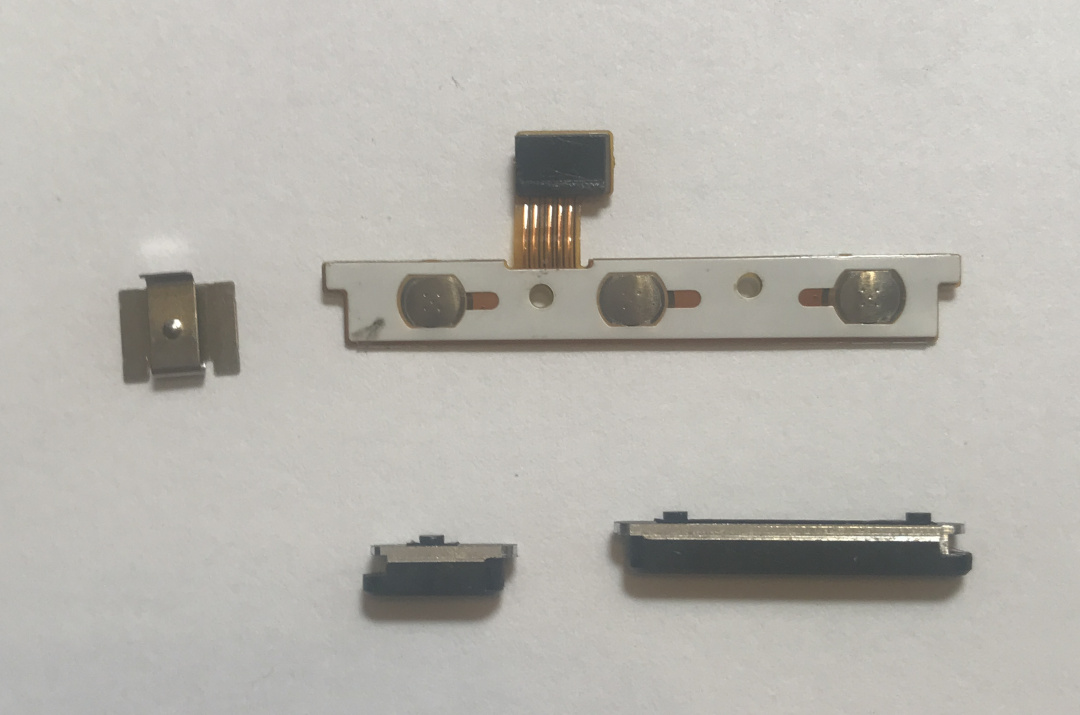
This is what I got for button hardware when I ordered a new screen. The screen replacement went well, until I got to the buttons . I couldn’t see what was suppose to hold them in. Unfortunately, I had not taken a picture of the installation during disassembly (which had occurred two days prior) I imagined that the steel clip was used, but I could only get one button to be held in. I’ve searched for pictures of how the buttons are suppose to held in, but haven’t found any, Perhaps I’m missing parts?
Does anyone have a picture of how to install these parts?
TIA for any help.
@henrythemouse, I recommend that you email support@puri.sm and ask if they have assembly instructions.
I disassembled and reassembled the L5 about 5 years ago using these instructions, but I don’t remember taking out the power and volume buttons.
I’ll ask the assembly team if they can advise and ideally provide additional photos and installation instructions for clarity, then I’ll add this to the documentation.
FYI, I’ve slowly but surely been migrating much of the scattered documentation into our user docs to evolve into a central knowledge base. This disassembly guide is located here, and I’ve noted that the blog post needs a link added at the top to redirect viewers to the new location.