OK, thanks to a comment in an earlier topic by Photon [for which, tyvm!], I realized I’ve been doing the sequence wrong.
It’s necessary to FIRST press the power button until the LED lights up, release it, and only THEN hold the Volume Down key until the image on the µSD starts.
I had been following this in the Tips & Tricks wiki, but the problem (for me) was this phrase:
… during boot, hold volume-down
which doesn’t make it clear that you have to release the power button before pressing and holding the Volume Down key.
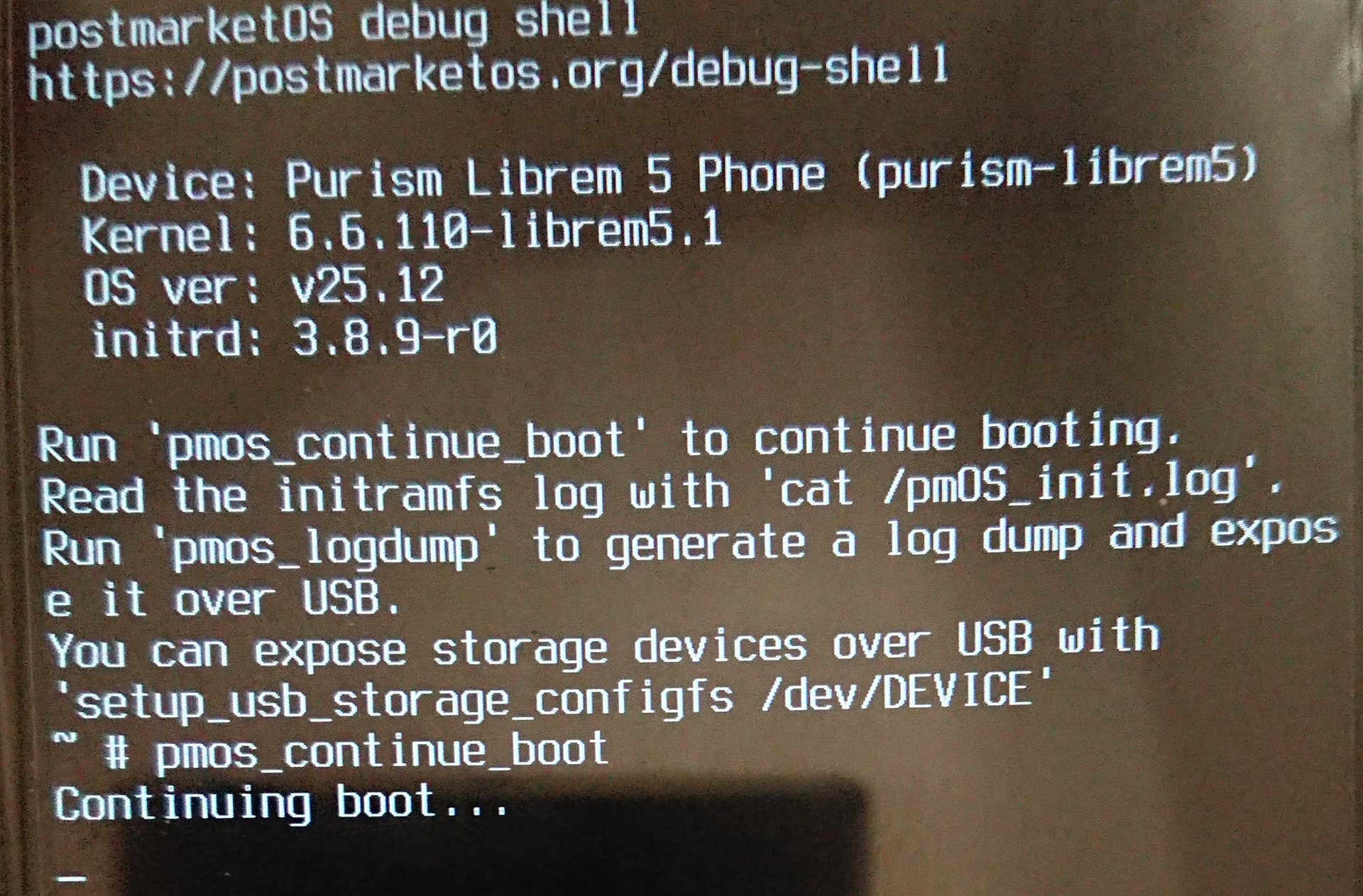
So anyway, I’m on the pmos_continue_boot screen again, with nothing happening, apparently:
Hello. I assume you mean live-booting to try it out, correct? I only know how to install it with the flash-image script. That deletes everything and simply installs it. I never did try live-booting it. I looked into pmbootstrap previously but I found it too cumbersome and gave up.
I assume you are positive you correctly wrote the image to the SD card to make it bootable?
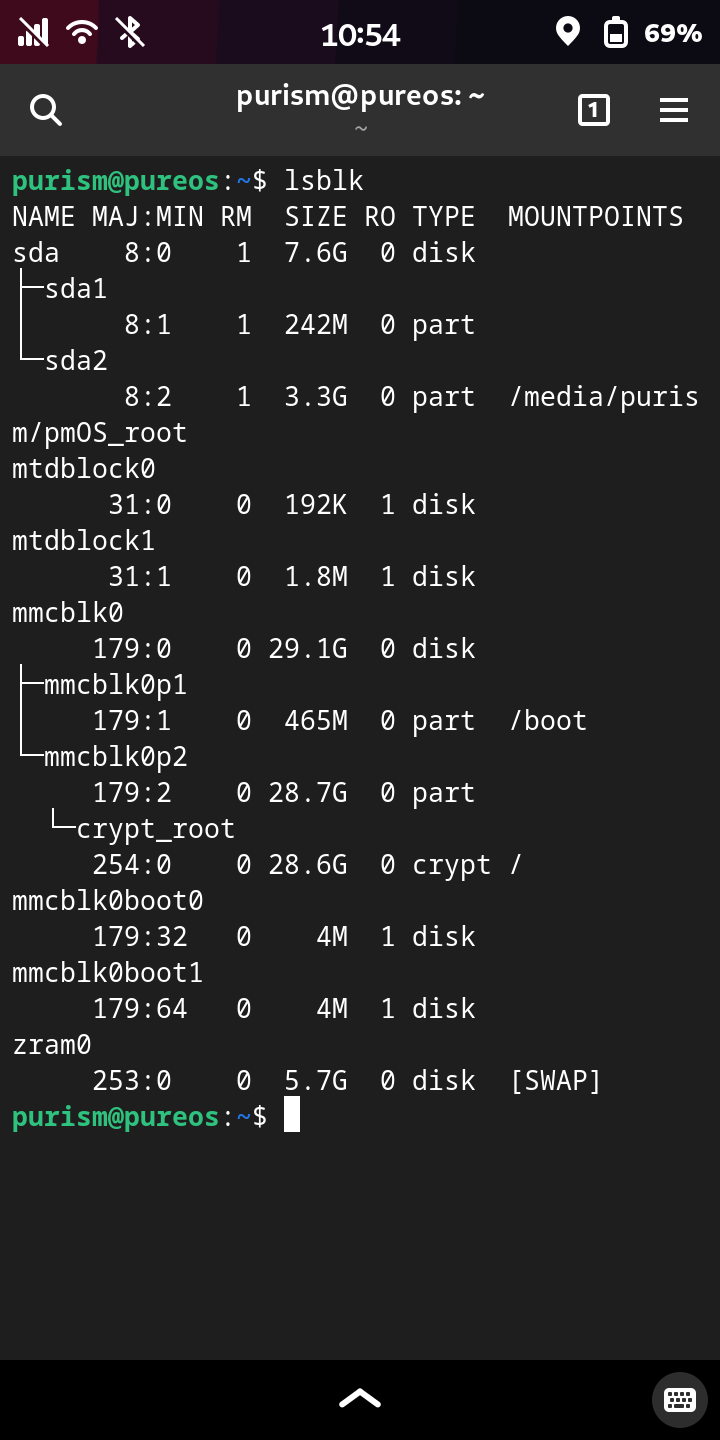
What does the “lsblk” show when you have the card inserted into the tray?
Second, are you sure you have the most current version of Uboot? From the “Boot from SD” wiki page:
A recent-enough version of u-boot is required before booting from the SD card is possible. The minimum supported version of u-boot is 2022.10. To update you can either reflash a recent image, or install a deb from CI artifacts at Librem5 / uboot-imx · GitLab and invoke sudo u-boot-install-librem5 /dev/mmcblk0 afterwards. A reboot is necessary to apply the update.
I realize that you are pretty sharp with these kinds of things. I am trying to be helpful.
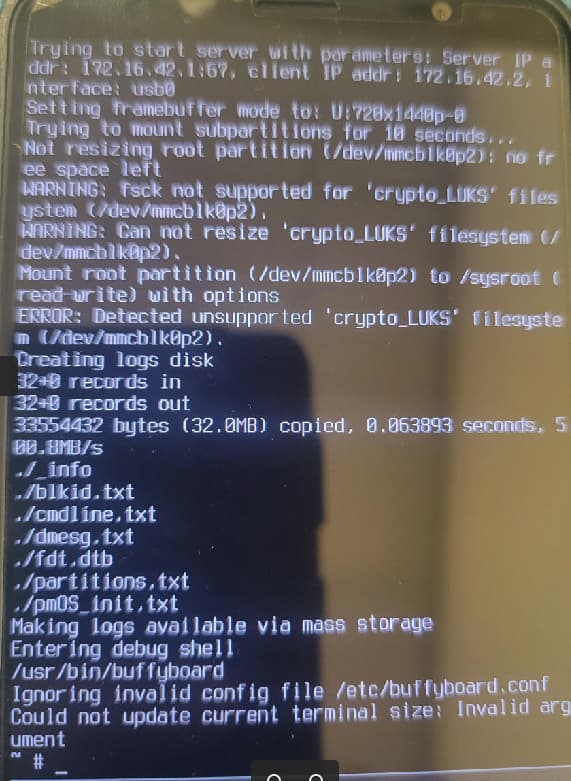
Looks to me like a pmOS bug that makes it attempt to mount the rootfs from eMMC regardless of being booted from the SD card. It also seems like a completely different issue than the one linked above. You should report it to them.
Checking cat /proc/cmdline in the rescue shell may help you figure out where the problem is.
After entering pmos_continue_boot the boot sequence should continue immediately. This works for me most of the time, however occasionally it does seem to hang indefinitely at “Continuing boot…”.
I’m unsure why, but you can get round that issue by entering pmos_continue_boot via a serial console connected via USB, it will then immediately continue to boot successfully into PostmarketOS.
For what it’s worth, while depressing the volume down button when booting a Librem 5 is the mechanism used to boot from the uSD, depressing volume down while booting PostmarketOS is the mechanism used to boot into PostmarketOS’ debug console. So continuing to hold the volume down button after the Librem 5 is booting from uSD and while PostmarketOS boots results in being dumped to the debug console.
You can achieve a standard boot to PostmarketOS by releasing the volume down button immediately on seeing the flashing cursor in the top left of the screen. However, the last time I looked at this it wouldn’t successfully boot as there was some other issue, I never got round to investigating the issue in any real detail so I’m speculating on this, it did look like it was failing to locate the correct root filesystem and just hanging during the boot process.
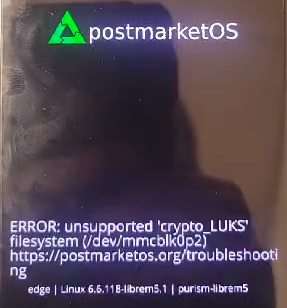
I was only seeing a fleeting glimpse of the error before the debug shell took over, but I thought it might have been about luks. Thanks.
That returned this:
init=/init.sh rw console=ttymxc0,115200 POS_FORCE_PARTITION_RESIZE
~#
Tricky timing! I did get the splash screen for a few more seconds this time, but it still went into the debug shell, and wouldn’t continue the boot proess.
It doesn’t specify the root partition, so it will use whatever the initramfs considers its default. In PureOS, it defaults to the UUID of the root partition stored while generating the initramfs. It seems like pmOS may default to /dev/mmcblk0p2, which can’t work in this case.
(BTW. It even appears to attempt resizing the partition on eMMC, which fortunately should be harmless with PureOS, but could potentially make some damage to what’s stored on the eMMC)
It’s unlikely to be related to holding the button down - it may become related once the other issues are fixed though
I think I might have simply been holding the volume down button too long. I was just able to successfully boot PostmarketOS from the sdcard. Previously it would break out to the debug console, where running the pmos_continue_boot command would hang indefinitely.
To be honest I’m somewhat underwhelmed since the official release of Crimson. It’s pretty much impossible to boot from the sdcard without that luks decrypt error unless you use a workaround that I stumbled upon purely by accident.
Crimson has updated versions of phosh and gnome-calls which were important to me. PostmarketOS doesn’t support the new UGREEN USB-C Ethernet adapter I just bought which works like a champ in Crimson.
I’ll continue to play around with it but as of right now, it’s slightly less functional that Crimson on my Librem 5.
Completely by accident, I figured out a workaround to get past the problem where sdcard installs of PostmarketOS crap out while attempting to decrypt and mount the onboard LUKS partition during boot.
It involves plugging in my USB-C Ethernet dongle while performing the boot. Somehow this creates another device that fools PostmarketOS into not trying to decrypt LUKS container on the Librem 5s eMMC internal storage device.
The irony is that PostmarketOS does not support my dongle once booted.
Just be aware that it’s still on 6.6 kernel (unlike Crimson on 6.12) and they’re removing it from the community category unless new maintainers step up. You can help with testing with the 6.12 though if you like.