I have to use telegram in the browser firefox. From time to time, say once a week, it says in the browser with a button UPDATE. When I click, it does something. What it is updating in my L5?
1 Like
Are you able to post a screenshot with any private details redacted?
1 Like
Btw: This happens on all my devices (L5, FreeBSD, MacOS) with firefox.
Next time I will cut a screenshot.
3 Likes
If it have to be telegram, you should have more than on device.
Stock Android, Lineageos, GraphenOS.. some Chinese one, Desktop of Mobile one, with up to date OS and using Telegram.
Its some kind of safe browser but tithe the Russian and China Focus.
On Linux you can Measure the update by comparing some backup and watching at file or binary level.
Just use this on followers hardware.
1 Like
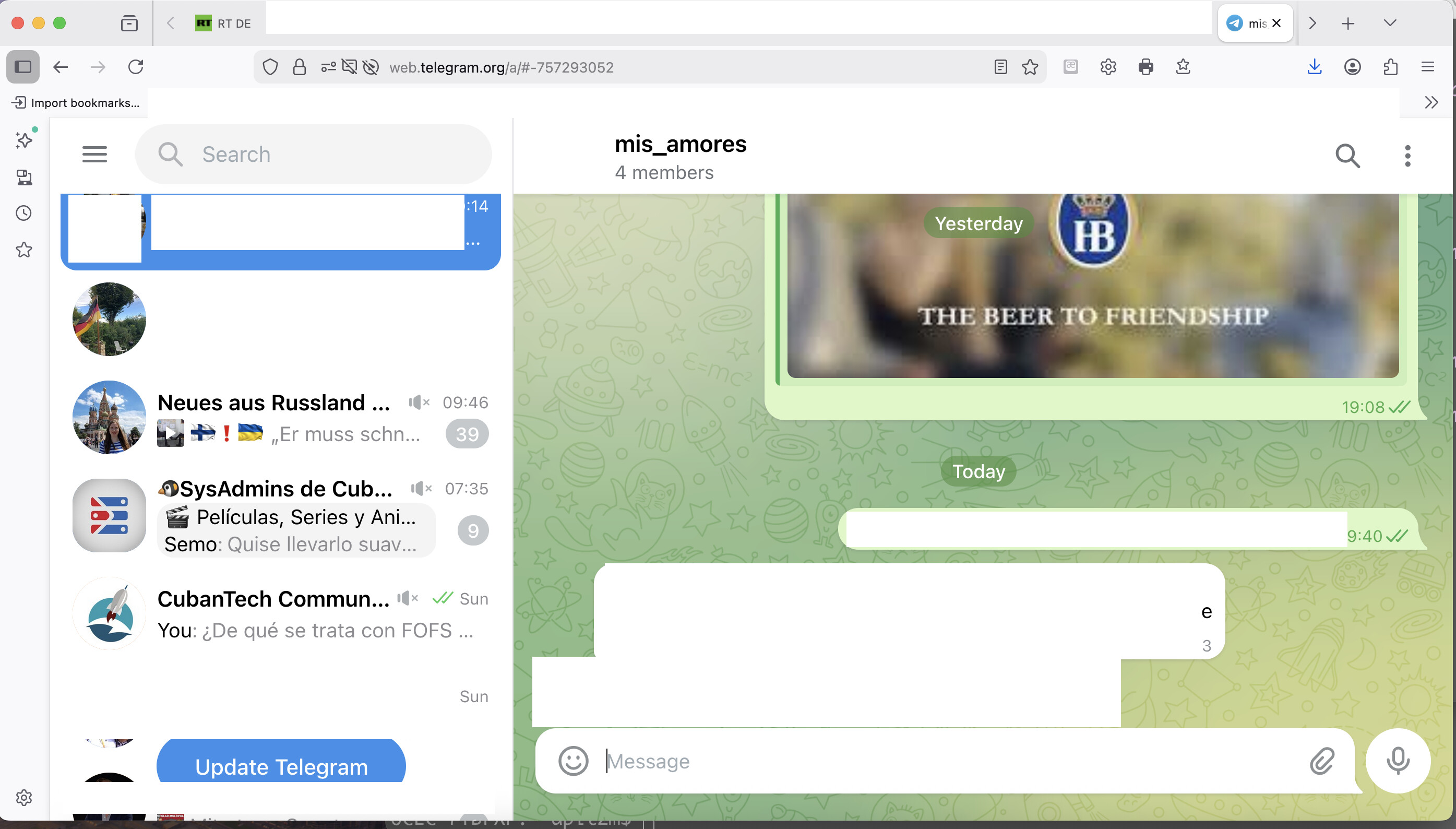
Ah, I see. I’ve never used the Telegram web interface. That said, it might be simply prompting you to reload the web app by pressing that button. You should be able to accomplish the same thing by reloading the page. I’ve seen similar prompts pop up in the browser when using Venice.ai.
You can inspect the code behind the ‘Update Telegram’ button by using your browser’s code inspector function, if you’re suspicious that it’s not legitimate.
1 Like
It’s a web app. There are probably some cached assets, databases, etc that constitute an app update?
2 Likes
The client has been updated by Telegram. You are using this client through the web browser. It is simply telling you to update by refreshing the browser so that you will start using the new client code instead of what the browser has already cached and is currently using. This isn’t a problem unless you mistrust Telegram. In which case I would advice you to stop using Telegram.
3 Likes