Because of a misconfigured flashing station, some of the recently shipped Librem 5s and Liberty Phones may have ended up being flashed before shipment with an OS image that’s effectively unencrypted. The device would still appear encrypted - it would ask for encryption password as boot and you could change that password - but the actual data on disk would remain plaintext.
A PureOS update to check for and remedy this is about to migrate into crimson repositories. If your device happens to be affected, in a few days you should see this screen after performing system update right after entering your disk encryption password:
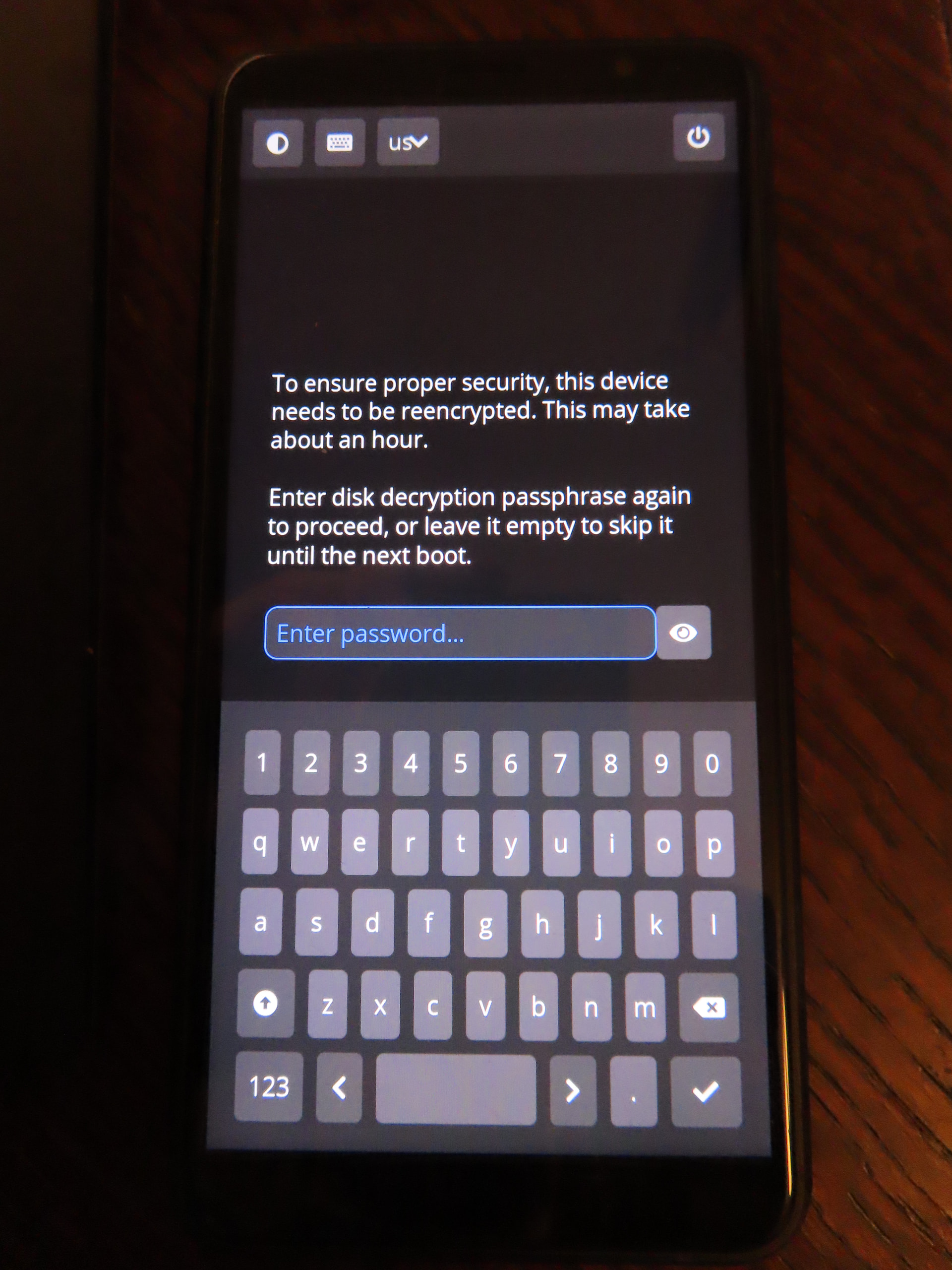
Don’t panic, this is a legit message coming from PureOS.
After typing your disk encryption password in again, it will reencrypt the entire contents of the disk. On a Librem 5 with 32GB eMMC it should take about 15-20 minutes; on a Liberty Phone with 128GB eMMC it will take about 60-75 minutes. Once started, the process can’t be stopped until it’s finished, so make sure to do it when you won’t need to use the phone during this time. If you’d rather perform this later, you can skip it until the next boot by entering an empty password.
If you don’t want to wait for the update to arrive or want to perform online reencryption instead, you can run sudo cryptsetup reencrypt /dev/mmcblk0p2 on your phone. At first sudo will ask you for your user password (the one that’s typed in on the lockscreen), and then cryptsetup will ask for the disk encryption passphrase (the one typed in at boot). Online reencryption may take even longer, but it will let you use the phone during the process.
Note that this issue only affects the image that has been installed out-of-the-box on some phones that have shipped with crimson. Phones that shipped with byzantium are unaffected; neither are phones that have ever been reflashed by the user after shipment.
You can check whether your device is currently affected by running sudo cryptsetup luksDump /dev/mmcblk0p2 | grep cipher. If the output is cipher: cipher_null-ecb, your device needs to be reencrypted - you can either perform online reencryption or wait for the update to arrive shortly. If it’s something else, such as cipher: aes-xts-plain64, your device isn’t affected and you should not see the reencryption dialog after the upgrade.
