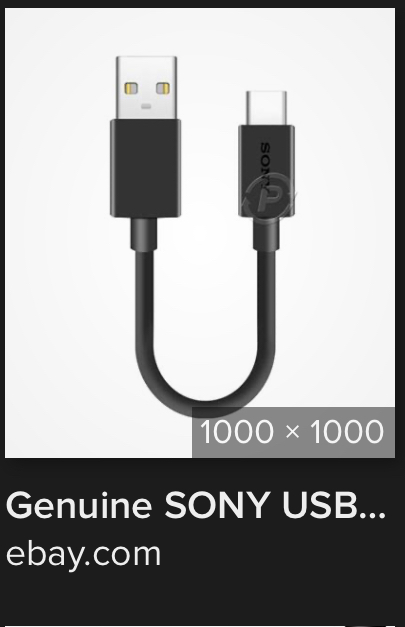
Please, do you mean genuine type-c cable like this one?
Ciao Amarok 

Debian last distro updated
I’ll do it!!
Thank you 
I’ll try and I’ll let you know, dos!! Thank you 
I’m going to read and follow @amarok link!!

To everyone: now that I reflashed (and reflashing right now again!) volume up + power on is working so problem, at list in my case, was something software, not hardware! It was connected with the factory image when I received my L5! Hope it’ll help (eg: @amarok ) 
“put the phone in Serial Download mode.”
How does one put their phone in to “Serial Download mode”?
~s
Follow the procedure on this page Reflashing PureOS - Purism user documentation doing the one step whose description starts with “Expose the filesystem of the phone to the computer.”
To make sure that the procedure works for you, here’s what I suggest you actually do.
- Don’t do the procedure but, with your Librem 5 booted normally, connect your Librem 5 to your host computer via USB and issue the
lsusbcommand on the host computer and note the output and unplug the USB cable. - Then do the step above and again issue the
lsusbcommand on the host computer.
In the second case the phone will show up as
Bus 999 Device 999: ID 1fc9:012b NXP Semiconductors i.MX 8M Dual/8M QuadLite/8M Quad Serial Downloader
(my emphasis)
and this will be quite different from the description that appears in the first case - and that is what tells you that you did successfully get your phone in serial download mode.
Note that there should be no need to actually run any script on the host computer. You can put your phone in serial download mode regardless of whether you run any script on the host computer in order to utilise the fact that the phone is in serial download mode.
However having put the phone in serial download mode, you can do anything that you have a host-computer script for and that would include:
- reflashing the phone
- booting Jumpdrive on the phone
- upgrading certain phone component firmware.
I’ve been trying to reflash and/or use Jumpdrive but I can’t get lsusb to see my Librem 5. I’m using a Librem 14. A possible factor is that I lost my Librem Key so I can’t boot normally. Nor can I OEM factory reset without the Librem Key, right?
Can’t see it at all? Or can’t see it in serial download mode?
USB difficulties usually suggest trying different USB ports / different USB cables / different USB cable orientations.
It may help to clarify whether you have ever successfully done this process with these two specific devices i.e. used to work and now doesn’t v. was never previously tried v. never worked.
It may help to specify what operating system and version is on the laptop.
Honestly, I don’t know whether the loss of the Librem Key is a factor but if that is a permanent situation, you might want to put Pureboot in “basic mode”. Then you should be able to boot normally.
Thanks for the reply. I’m booting the L14 now by choosing the option that says “unsafe” or whatever. But I would eventually like to return to booting with a key as designed. Thanks for the mention of Pureboot Basic.
Since I posted, I happened to recover my L5 lock screen password so I don’t need to reflash now. But for anyone who finds themselves in the situation I was in, there appears to be something called USBGuard which may have been a factor regarding why my L5 never showed up on my L14(?)
If by that you mean the purism user password then one “workaround” for this is to have enabled the SSH server and added a second account (with a strong password) - where the second account is in the sudo group and enabled for access via SSH. Then you can just SSH in, and use
sudo passwd purism
to reset the password of the purism user.
Failing that (which requires a fair bit to have been set up in advance), the next easiest approach is to use Jumpdrive to get in and do the same thing.
Reflashing should be the last resort, unless you happen to have other reasons to want to reflash.