I bought a via controller usb3 for kgpe-d16. Seems no need blob (i hope)
Fast question about ASUS KCMA-D8 motherboard, I heard it support opteron 4300, the question is: did opteron 4300 serie need the infamous firmware to work? (the firmware is proprietary by Amd, some opteron can start even without this but hw bugs like spectre v2 are not fixed). Waiting for better opinions, thanks.
Another fast question
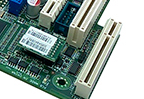
on kgpe-d16 is this the ikvm module? Is possible to remove it? I’m trying but seems soldered
EDIT: confirmed is a asmb4 rev 1.00g module, i really don’ understand how to remove it from motherboard, is really hard seems soldered, damn it
Dear budullanza i do not have a kgpe-d16 to help you.
Do you own one already?
1 Like
Yes I have it. I’m waiting for the coolers, will arrive next week or next 10 days and I can finally start to build pc. Next time I order this motherboard (but probably i will choose the kcma-d8) i will check they don’t sell it with the spyware asmb4-ikvm module
1 Like
meanwhile a funny thing
“G34: Supporta processori Intel G34.”
Translated
“G34: Supports Intel G34 processors.”
 Lol
Lol
and a warning: i see a lot of kgpe-d16 for sale with the ikvm module, remove it is really difficult because or is soldered or is hard to remove and there is a risk to damage the motherboard forcing it.
If anyone want to buy this motherboard must ensure this module is not present, in this pic the module
is not installed and you see a black “socket”
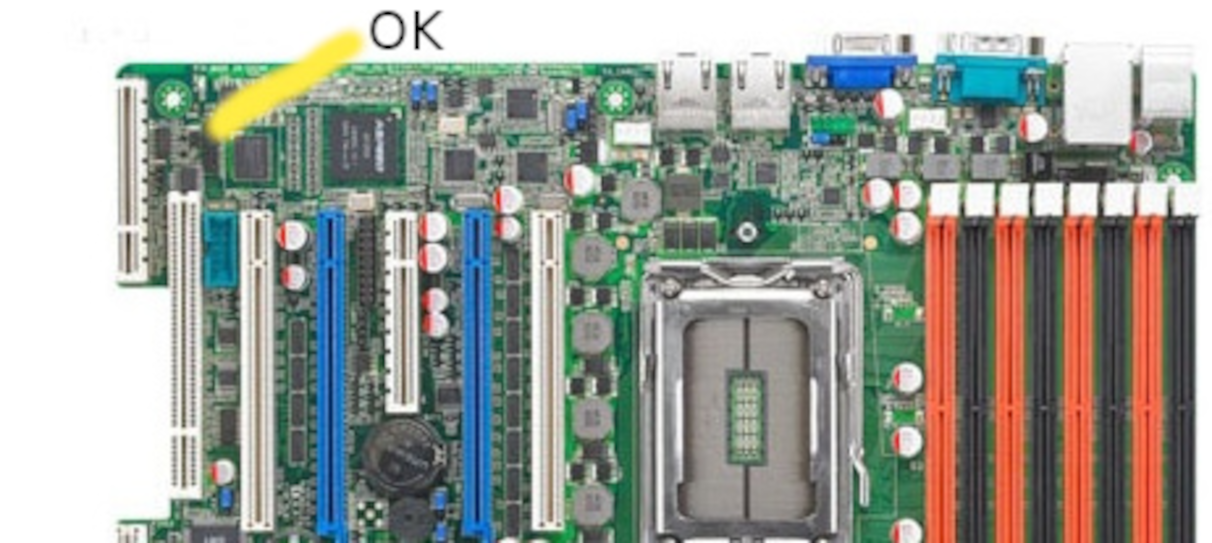
in this other pic is installed, the black socket is covered and remove this “spyware addon” is not easy as it seems, those motherboards are old (2013) and the time make “hard” the module, or probably is soldered in latest revisions of motherboard
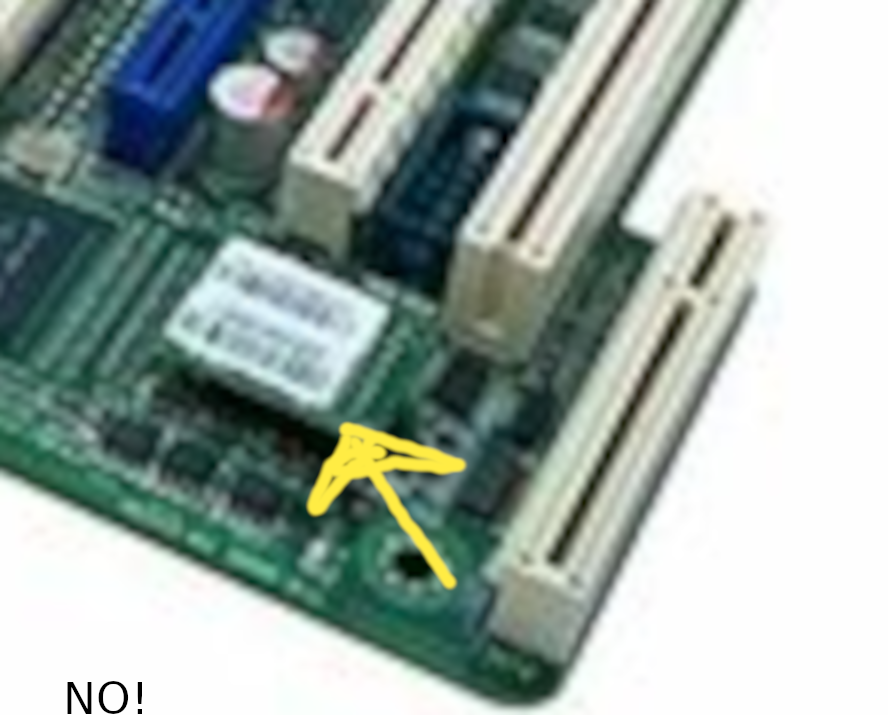
Gnu-boot said about this module
https://www.gnu.org/software/gnuboot/docs/hardware/kgpe-d16.html
“IPMI iKVM module add-on
Don’t use it. It uses proprietary firmware and adds a backdoor (remote out-of-band management chip, similar to the Intel Management Engine. Fortunately, the firmware is unsigned (possibly to replace) and physically separate from the mainboard since it’s on the add-on module, which you don’t have to install.”
1 Like
Edit: I read now the manual of kcmad8, it support 4100 Opteron which is very hard to find, but the bad news is another: it has also the asmb4 management socket so is a waste of time kgpe-d16 is better, only is a little too big.
1 Like
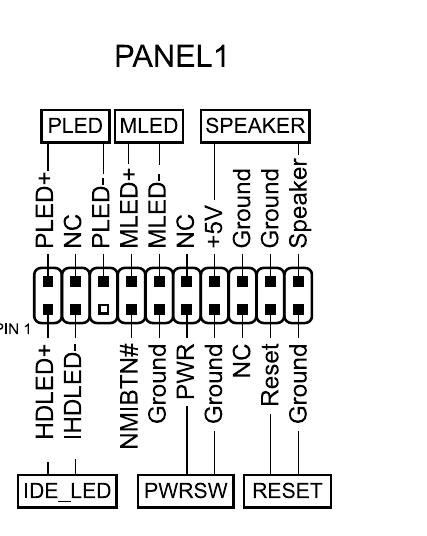
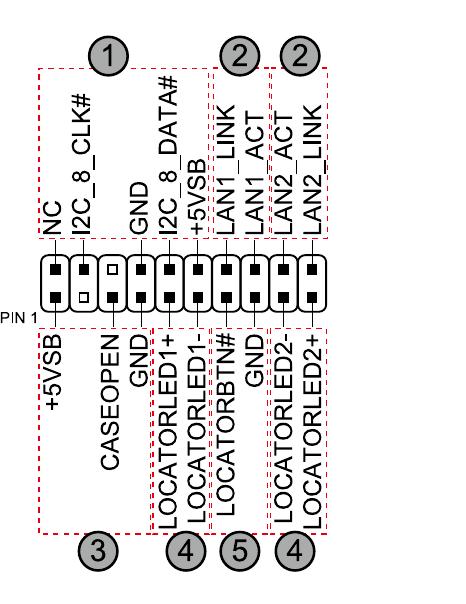
Today the motherboard coolers arrive, I mount all and..don’t start  The motherboard show a green light in the left bottom part, but when I press the button power is dead. I’m really confused about this scheme, where to put the anti-intrusion switch? Probably the case don’t start the pc for the anti-intrusion not configured.
Also I don’t understand how to put correctly the pwrswitch, in pin 4-5 or 6-7?
As Libreboot it is not Libre anymore, why keeping term “Libre”? to honeypot? I mean it need to be Openboot, or opensourceboot, whateverboot name. Many user still thinking that Libreboot still same like before which it is not. The leader is not right.
If Libreboot is Libre, then Microsoft is Libre to any opensource user of course.
1 Like
Bootloader check all controller for malfuntions, if a controller it is not good, the bootloader will not boot. To see what is going on it need a bootloader serial console.
I am very busy on a Power4 computer too like you.
1 Like
I explain, the power don’t start, the motherboard receive energy (lan blink) but not output from vid, the fans don’t start, probably is ruined as I remove forcibily the “ivkm module“  Or probably is the case defective, I have ordered an “external button”, maybe next days I will try another motherboard
so I will know if is the case or motherboard damaged.
1 Like
I happy that Debian released a Libre Installer. Never too late to revert something thats wrong and bad.
Linux open-source is becoming more ridiculous and evil by enabling compression to blobs.
1 Like
Debian, Slackware and a few others are the only decent os for privacy and security of course you must have a decent hardware (decent mean can boot and works without blobs of proprietary stuff).
1 Like
Please help me about the infamous ikvm module.
Some months ago I have bought a motherboard asus kgpe-d16, I have spent a lot of money because is really difficult to found coolers for this motherboard and also a decent case. I have see the infamous ikvm module
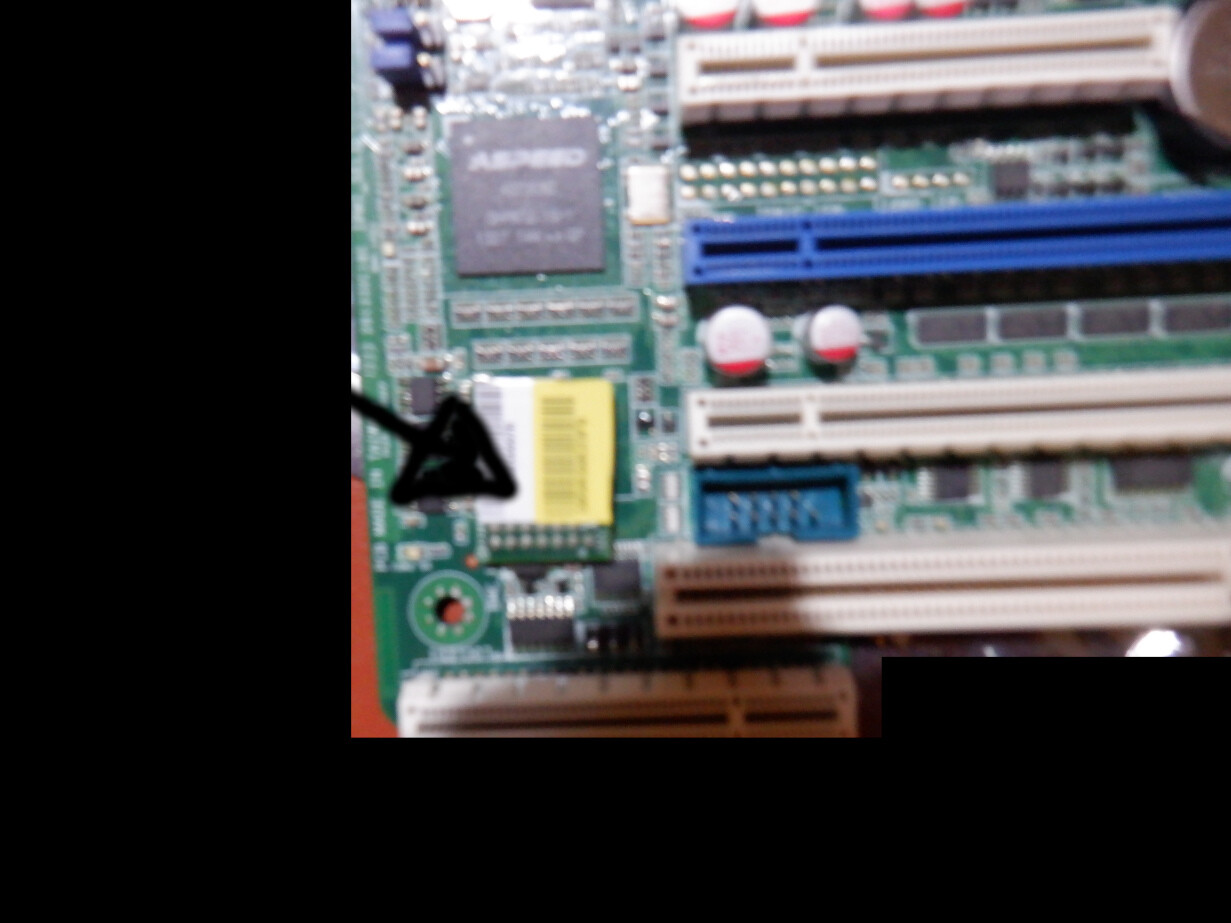
And I had the bad idea to remove it with pliers in a forcible way, the result? The motherboard get damaged, don’t start nothing (the lan led blinking, but power on button don’t start the motherboard) and I have lost 150$!
I order a new kgpe-d16, the seller show the picture of a motherboard without the module
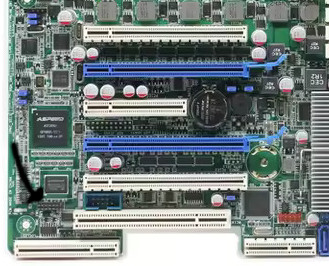
I have bought and the seller send me a pic of the motherboard..with module!
Of course this time I will not remove it with pliers and lost other 150$ If the module is not soldered as the previous I will try to remove it gently with hands. If is soldered (as I think). I have just one question:
there is a way to disable it via software or hardware? How is possible this module add a backdoor? I used those remote management on Ibm servers and Hp servers (ilo) and as I know they are only reachable with a dedicated lan (in kgpe-d16 is possible to use the shared lan or dedicated lan).
An advice for people who wants to buy this board. You can remove this ikvm module only if motherboard has this socket
this is the module
WARNING!
Some asus kgpe-d16 revisions has this module soldered you will recognize it immediately as the black socket is missing and you can see the pins nude if you watch the board horizontally, I don’t know if is possible to remove it with a welder, if you try to remove it using force or pliers the motherboard will get damaged and don’t start and you have lost money.
Anyone has some idea to disable this module in a decent way without destroying motherboard?
The admin in the FSF associate member forum is only familiar with the module being socketed, in which case it should be removable carefully by hand.
Raptor has made progress with installing OpenBMC on that module, but we have not spent the time to follow their footsteps yet. If anyone figures it out and can help us, we would appreciate that.
2 Likes
A good news about the ikvm
But I don’t understand if works on kgpe-d16
EDIT: there is a beta version working but require a good knowledge for replace the proprietary firmware
A little doubt about the infamous ikvm module. If socketed and removed by hand ok, but if is soldered and I cannot remove it the gnu-boot bios will start anyway? I have already bought two kgpe-d16 card (is really difficult to found one of this with the socket module, all boards on aliexpress has soldered module, a lot of vendors put the pic of it with socket module but is not the real photo of their product, is generic). I have already tried to remove it forcibly and the result was a completely disaster (board don’t start and 150€ lost)
I have power4, but i wrong i on power5. I still can not get done, as power5 it is only Big Endian. I like BE as it is pure community developments.
My main issue is that xorg detect and enable a gpu that do not exist… very weird, a gpu ghost? a hidden file?
I happy to spend a lot of time on BE.
linux power5 6.18.5+deb14-powerpc64 #1 SMP PREEMPT Debian 6.18.5-1 (2026-01-16) ppc64
1 Like
Fixed all bugs just now after a heavy day, OMG it worked and with butter!.
ppc is very hard but unique.
So now i need a PPC BE+JIT accelerated via gpu o cpu Browser, which not much outside. Still long way…
All thanks to Gnu Grub! 
Libre Debian on Power5
1 Like