There is another solution.When I first got my L5, I bought a silicone ‘case’. First time around I got them from Italy, and paid about 15 euro’s. Recently I came across them on AliExpress - needless to say for a lot less. After a couple of years they tend to loose their elasticity, so I had to replace the first one.
Here they are:
So far, I haven’t found anything that does a better job: it is one of the few that fit the L5 nicely, the corners are well-protected, the metal kick stand on the back protects the phone, and it works really well as a stand.
PLA seems way too hard and brittle to offer the same protection.
After struggling to catch the time to play around in FreeCAD, I went ahead an ordered a 3D print of the “first draft of the Big Battery House” and included some images over here: Big Battery House - #5 by Dlonk
Not sure how this will go, might end up spawning a fireball with bad wiring.
I got curious, so tested it (again): over 11,5kg (about 25.35 pounds, or 405.7 ounces), in addition to the phone weight (0,258kg or 0.5688 pounds, or 9.101 ounces). No deformities, no cracks. Corners seem to hold even better than I thought.
Hello @JR-Fi , I do need a normal backcover for one of my L5 devices. Is there any good STL file available and with which material it must be printed? Thanks
The files I’ve used are Librem5-Chassis/librem-5-back-cover.step · master · Librem5 / hw / 3D_designs · GitLab (just used Freecad to convert that into an stl) and Add new directory for community designed 3D-printable files (!6) · Merge requests · Librem5 / hw / 3D_designs · GitLab (which is shown in the pics above).
The first one is the standard one and it depends on the printer how perfectly it will fit (actually also the settings and how well you detail it by hand afterwards matter too - a bit of sharp knife, sandpaper or filing). The second one is that but it has the corner pieces that hold better than the minimal notches in the standard one (it’s not so finiky about the print + gives extra protection). I don’t have a non-penguin version at hand, so if you don’t mind that or do both black… I used basic PLA, nothing fancy.
Well, I don’t know what to tell you - that’s what I used and that’s the same nozzle size of the printer I used (Ultimaker S3 printer). Printer layers are thinner than that 0.4, depending on the quality setting (Cura printing app has setting steps from extra fine 0.06, 0.1, 0.15, 0.2 to extra fast 0.3 - I used fast 0.2 or normal 0.15, can’t remember anymore). I suggest trying it anyway, so you get a sense of what your printer is capable of, if you have the calibration (leveling the bed to the hotend well - the S3 has an auto levelling feature) and how close to a working item you can get. As I said, the corner one is more forgiving with getting a good lock on L5.
I’m no printing expert, but looks like it mostly succeeded. I’ve seen something like that on the side with too much speed, so maybe slow it down so that the filament has enough time to get bond (or maybe not hot enough relative to speed) - not sure.
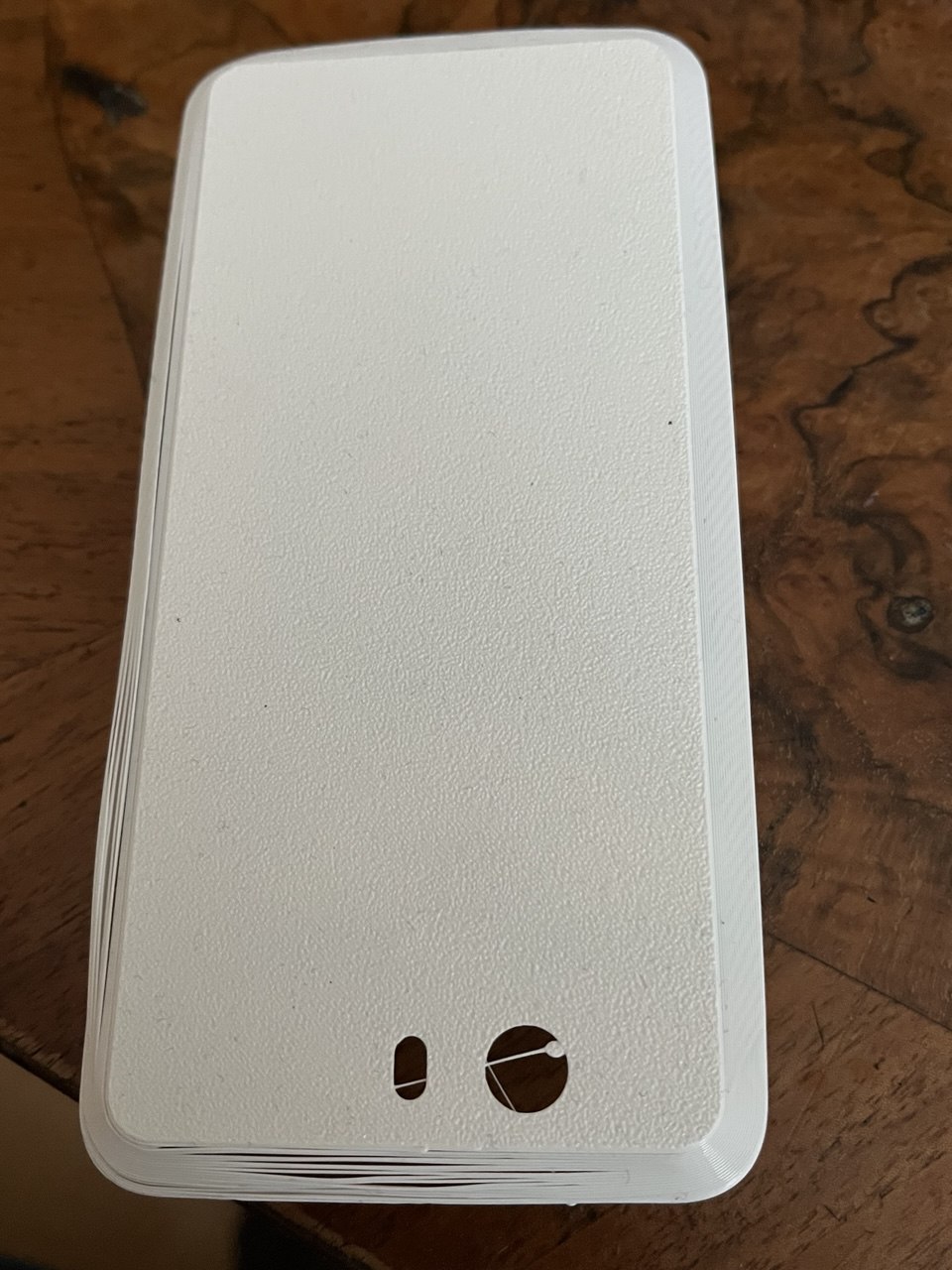
The backside looks different than what that S3 printer gave (it was striped from the printing pattern). What kind of printer or settings gets you that surface?
I printed mine with a 0.4mm nozzle (Creality Hi), used the unchanged step file, left all default settings to default and it worked beautifully with “hyper-PLA”, whatever that means exactly.
I’ve been using the phone in that case daily for about three months now, and no cracks or damage yet. Sorry, I know this is not helpful
But at least in my experience it’s definitely not too thin for a 0.4mm nozzle.
I have a similar texture on mine (see pictures in this post). I guess it comes from the texture of the printer’s hotplate because it was also printed with a diagonal pattern.
@tendays , could you please do me the favor and send me your STL file gzip’ed to my mail addr guru@unixarea.de to exclude a conversion error (because I converted the file from .STEP to STL with some online service.
Have you both printed it with backside down or up?
Next, I have to have a closer look to the device and its manual.
Thanks
Backside down. It would need a lot of wasteful support structures to do it the other way due to the empty space that would be under the backplate. I think the first try seemed pretty good first for first try - not all the prints succeed and that almost did (just a little tweaking required).
If you actually want one, check with Purism whether that is really the shipping fee that would apply (as this item is obviously relatively small and relatively light in weight).

 )
)