And here I’ve been blaming it on some combination thumb drive manufacturer and L5 hardware.
Can you clarify whether the symptom is that the thumb drive does not work at all or just that it doesn’t automount?
And are you experiencing that with all USB drives or only thumb drives?
Results of my testing:
-
A USB-C portable drive. It has an
ext4file system on it. It automatically mounted at
/media/purism/NAMEwhere NAME is its volume name (or something like that). This is the way automounting works for me on a typical desktop/laptop. -
A USB-A thumb drive. It has a FAT file system on it. It did not automatically mount. But I could mount it manually using
sudo mount ...and then it worked fine.
That exact same thumb drive does mount automatically on my desktop under
/media/USER/NAMEas expected.
I’ve tried all of these, none of which automounts, appears in /media, or is revealed by lsblk:
ext4 (native USB-C end) - my usual, historically good one
exFAT (combined with a USB-A-to-C adapter)
FAT (combined with a USB-A-to-C adapter)
I’ve tried reversing the orientation on each one. Nothing shows up at all.
For clarity, the USB drive is showing up as a device - in my case always /dev/sdb* because sda* is the internal µSD card. It’s just that it isn’t automounting. So it is shown by lsblk but not automounting so not in /media/purism.
As far as I can tell, this functionality is called udisks2 and the service is running.
And lsusb would also be a useful command. Something would need to be appearing on the USB. Then the device. Then the mount.
I think I’ve cracked it (for my case) … it won’t work if the purism session is “sleeping”. I had been doing testing SSHd in and the login session had gone to sleep. Automounting (rightly or wrongly) doesn’t work in that situation.
That is probably solid security i.e. if you leave your phone locked but unattended then if someone plugs in a USB drive then you probably don’t want the drive to automount in case there is some maliciously-crafted (e.g. malformed) file system that can trigger a bug without any user interaction. (Of course, a phone that is unattended, with a sufficiently knowledgeable attacker, is toast anyway.)
So, now armed with that info, the original USB-A thumb drive with its FAT file system does automount.
In my case, no USB drives mount or otherwise show up anywhere, even if I’ve just logged in. So for me at least, apparently not a sleep issue.
@dos Do you have any information or recommendations regarding this?
What does that mean though?
lsusb doesn’t ever show a new USB device?
Or, yes, does show in lsusb but ls -l /dev/sd* or equivalently lsblk never shows the device? (noting that the µSD card is itself /dev/sd* so you need to distinguish between the two)
If lsusb never shows a new USB device when plugging in a USB drive, can you fault isolate by just plugging in a USB keyboard or a USB mouse and seeing whether that shows up in lsusb?
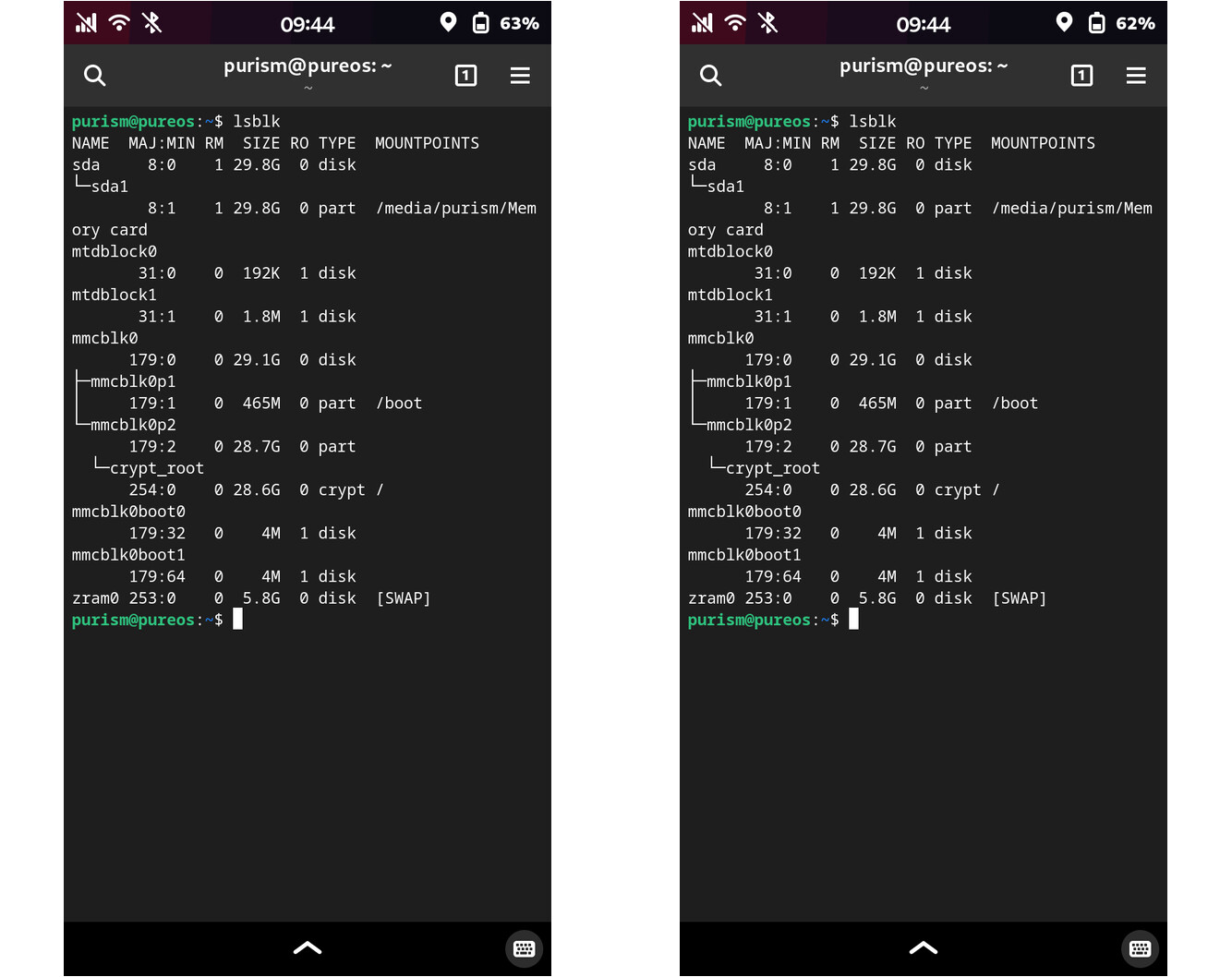
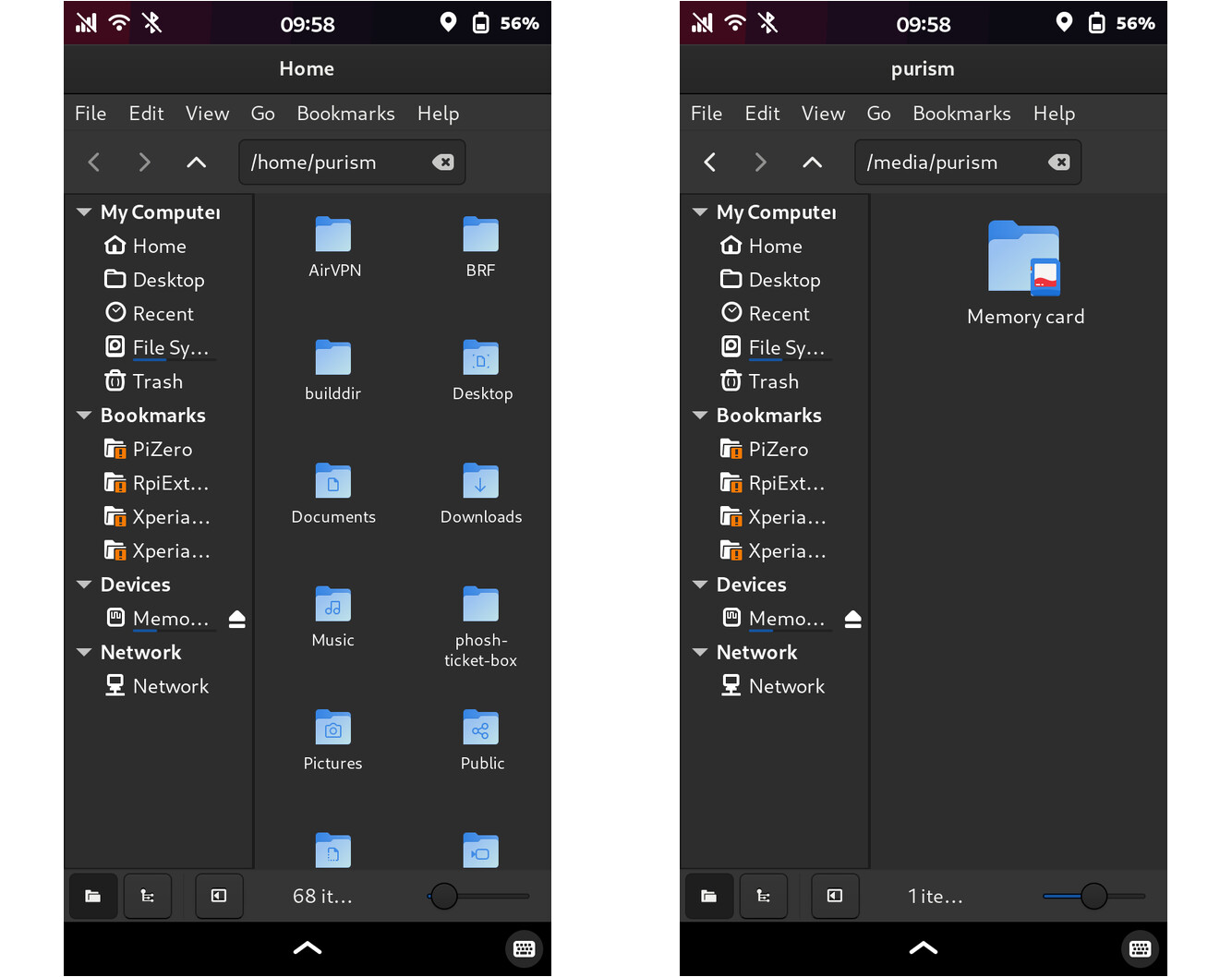
Yes, but you need to be using lsusb not lsblk. A keyboard isn’t going to show up as a block device anyway.
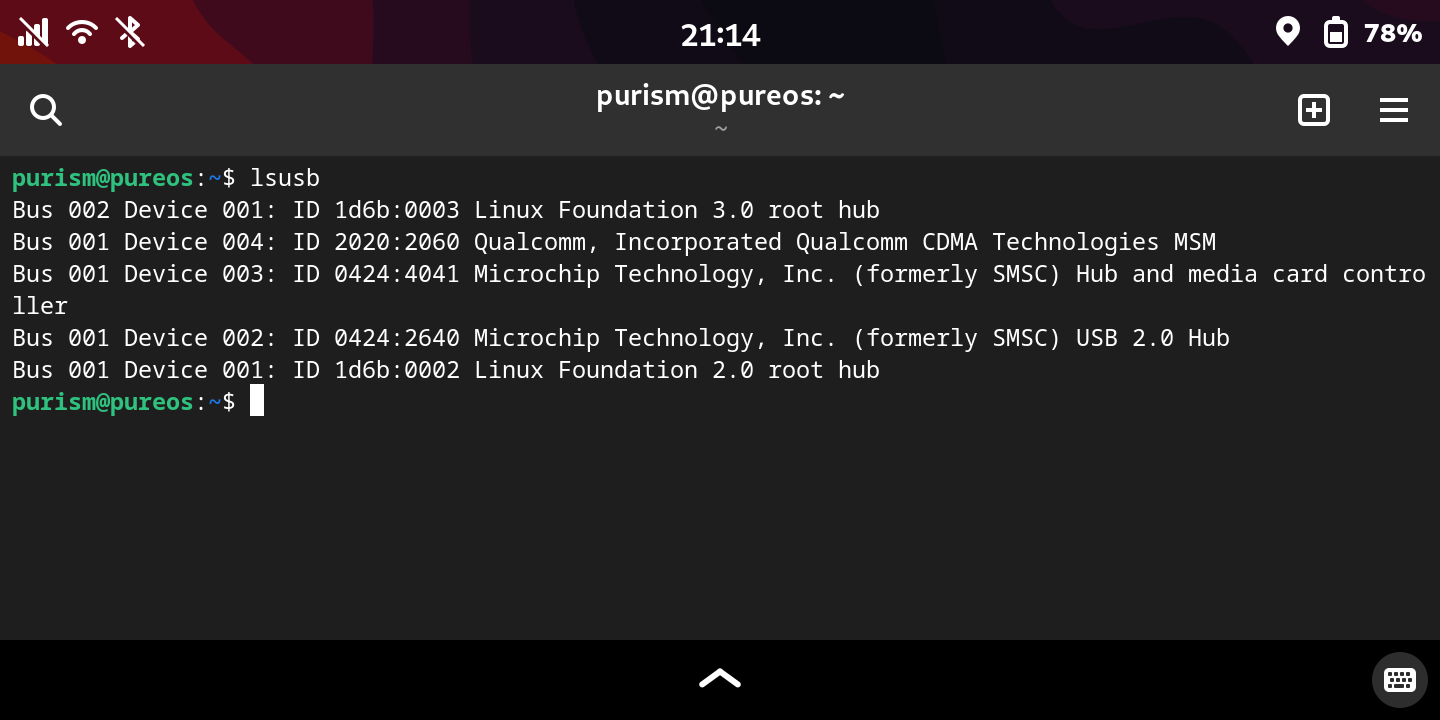
Actually, I think it isn’t. There is an internal USB hub that is used to connect the µSD card reader + the cellular modem back to the SoC. You can see both the card reader and the cellular modem in your output. They are all on the same bus (001). (I think Linux does something weird so that each USB bus results in two root hubs and two USB buses, one for USB 2.0 and one for USB 3.0 and those are bus 001 and 002 respectively.)
If that is your output from lsusb with nothing plugged in to the actual USB port then that looks OK. If that is your output from lsusb with anything plugged in to the actual USB port then something is not right.
If I plug in some crappy old USB flash drive into the USB port (via a C-to-A adapter) then bus 003 and 004 appear, with the flash drive on bus 003 (for USB 2.0 as this flash drive is only USB 2.0 spec).
You should see another set of root hubs when a USB-C to A adapter is plugged in. If you don’t, either something is broken enough to not let the phone switch its USB-C port to host mode, or your adapter doesn’t have a correct resistor on its CC line as required by the spec.
As usual, logs would be helpful.
It’s the same with and without the USB drive plugged in.
A quick update, after some troubleshooting that @irvinewade suggested:
-
When connected in serial download mode by USB cable to a host computer, i.e. L5 as client,
lsusbrun on host correctly shows the L5. -
Booting a fresh crimson image from the microSD card, and having applied waiting software updates, thumbdrives still fail to mount or be recognized by
lsusborlsblk. -
Neither
journalctl -S -5mnorsudo dmesg | grep usbreveals any obviously related error.
Conclusion: still a mystery.
I still haven’t seen any logs here.
Which log(s) or commands would be most helpful?
Here are two that I ran yesterday:
purism@pureos:~$ journalctl -S -3m
Oct 19 16:41:43 pureos systemd-logind[663]: Power key pressed short.
Oct 19 16:42:28 pureos systemd-logind[663]: Power key pressed short.
Oct 19 16:42:28 pureos kernel: edt_ft5x06 2-0038: Unable to fetch data, error: -6
Oct 19 16:43:52 pureos systemd-logind[663]: Power key pressed short.
purism@pureos:~$


purism@pureos:~$ sudo dmesg | grep usb
[    0.064310] /soc@0/bus@30800000/i2c@30a20000/usb-pd@3f/connector: Fixed dependency cycle(s) with /soc@0/usb@38100000
[    0.065617] /soc@0/usb@38100000: Fixed dependency cycle(s) with /soc@0/bus@30800000/i2c@30a20000/usb-pd@3f/connector
[    0.079811] /soc@0/bus@30800000/i2c@30a20000/usb-pd@3f/connector: Fixed dependency cycle(s) with /soc@0/usb@38100000
[    0.084547] /soc@0/bus@30800000/i2c@30a20000/usb-pd@3f/connector: Fixed dependency cycle(s) with /soc@0/usb@38100000
[    0.093006] /soc@0/bus@30800000/i2c@30a20000/usb-pd@3f/connector: Fixed dependency cycle(s) with /soc@0/usb@38100000
[    0.093107] /soc@0/usb@38100000: Fixed dependency cycle(s) with /soc@0/bus@30800000/i2c@30a20000/usb-pd@3f/connector
[    1.991401] /soc@0/bus@30800000/i2c@30a20000/usb-pd@3f/connector: Fixed dependency cycle(s) with /soc@0/usb@38100000
[    5.362862] imx8mq-usb-phy 381f0040.usb-phy: supply vbus not found, using dummy regulator
[    5.364243] usbcore: registered new interface driver usbfs
[    5.364301] usbcore: registered new interface driver hub
[    5.365836] usbcore: registered new device driver usb
[    5.371713] tps6598x 0-003f: using DT '/soc@0/bus@30800000/i2c@30a20000/usb-pd@3f' for 'reset' GPIO lookup
[    5.371752] of_get_named_gpiod_flags: can't parse 'reset-gpios' property of node '/soc@0/bus@30800000/i2c@30a20000/usb-pd@3f[0]'
[    5.371769] of_get_named_gpiod_flags: can't parse 'reset-gpio' property of node '/soc@0/bus@30800000/i2c@30a20000/usb-pd@3f[0]'
[    5.380984] tps6598x 0-003f: using DT '/soc@0/bus@30800000/i2c@30a20000/usb-pd@3f' for 'reset' GPIO lookup
[    5.381022] of_get_named_gpiod_flags: can't parse 'reset-gpios' property of node '/soc@0/bus@30800000/i2c@30a20000/usb-pd@3f[0]'
[    5.381040] of_get_named_gpiod_flags: can't parse 'reset-gpio' property of node '/soc@0/bus@30800000/i2c@30a20000/usb-pd@3f[0]'
[    5.482736] usb usb1: New USB device found, idVendor=1d6b, idProduct=0002, bcdDevice= 6.18
[    5.482746] usb usb1: New USB device strings: Mfr=3, Product=2, SerialNumber=1
[    5.482753] usb usb1: Product: xHCI Host Controller
[    5.482759] usb usb1: Manufacturer: Linux 6.18.0-1-librem5 xhci-hcd
[    5.482765] usb usb1: SerialNumber: xhci-hcd.4.auto
[    5.483618] usb usb2: We don't know the algorithms for LPM for this host, disabling LPM.
[    5.483719] usb usb2: New USB device found, idVendor=1d6b, idProduct=0003, bcdDevice= 6.18
[    5.483728] usb usb2: New USB device strings: Mfr=3, Product=2, SerialNumber=1
[    5.483736] usb usb2: Product: xHCI Host Controller
[    5.483741] usb usb2: Manufacturer: Linux 6.18.0-1-librem5 xhci-hcd
[    5.483748] usb usb2: SerialNumber: xhci-hcd.4.auto
[    5.729713] usb 1-1: new high-speed USB device number 2 using xhci-hcd
[    5.867432] usb 1-1: New USB device found, idVendor=0424, idProduct=2640, bcdDevice= 9.02
[    5.867459] usb 1-1: New USB device strings: Mfr=0, Product=0, SerialNumber=0
[    6.226969] usb 1-1.1: new high-speed USB device number 3 using xhci-hcd
[    6.332934] usb 1-1.1: New USB device found, idVendor=0424, idProduct=4041, bcdDevice= 2.09
[    6.332970] usb 1-1.1: New USB device strings: Mfr=1, Product=2, SerialNumber=3
[    6.333025] usb 1-1.1: Product: Ultra Fast Media Reader
[    6.333038] usb 1-1.1: Manufacturer: Generic
[    6.333049] usb 1-1.1: SerialNumber: 000008264001
[    6.345260] usb-storage 1-1.1:1.0: USB Mass Storage device detected
[    6.346150] scsi host0: usb-storage 1-1.1:1.0
[    6.346689] usbcore: registered new interface driver usb-storage
[    6.348519] usbcore: registered new interface driver uas
[   30.383022] usb 1-1.2: new high-speed USB device number 4 using xhci-hcd
[   30.477968] usb 1-1.2: New USB device found, idVendor=2020, idProduct=2060, bcdDevice= 0.00
[   30.477994] usb 1-1.2: New USB device strings: Mfr=3, Product=2, SerialNumber=4
[   30.478002] usb 1-1.2: Product: Qualcomm CDMA Technologies MSM
[   30.478008] usb 1-1.2: Manufacturer: Qualcomm, Incorporated
[   30.478463] usb 1-1.2: Device is not authorized for usage
[   30.604797] usb 1-1.2: authorized to connect
[   30.737358] usbcore: registered new interface driver usbserial_generic
[   30.737419] usbserial: USB Serial support registered for generic
[   30.756351] usbcore: registered new interface driver option
[   30.756469] usbserial: USB Serial support registered for GSM modem (1-port)
[   30.759920] usb 1-1.2: GSM modem (1-port) converter now attached to ttyUSB0
[   30.760408] usbcore: registered new interface driver cdc_wdm
[   30.763242] usb 1-1.2: GSM modem (1-port) converter now attached to ttyUSB1
[   30.766258] usb 1-1.2: GSM modem (1-port) converter now attached to ttyUSB2
[   30.767855] usb 1-1.2: GSM modem (1-port) converter now attached to ttyUSB3
[   30.828232] qmi_wwan 1-1.2:1.4 wwan0: register 'qmi_wwan' at usb-xhci-hcd.4.auto-1.2, WWAN/QMI device, d2:40:6b:d9:d9:4b
[   30.828757] usbcore: registered new interface driver qmi_wwan
purism@pureos:~$
dmesg when plugging the adapter in, for starters.
“Adapter” meaning the thumbdrive?
Meaning the whichever part has a USB-C plug.